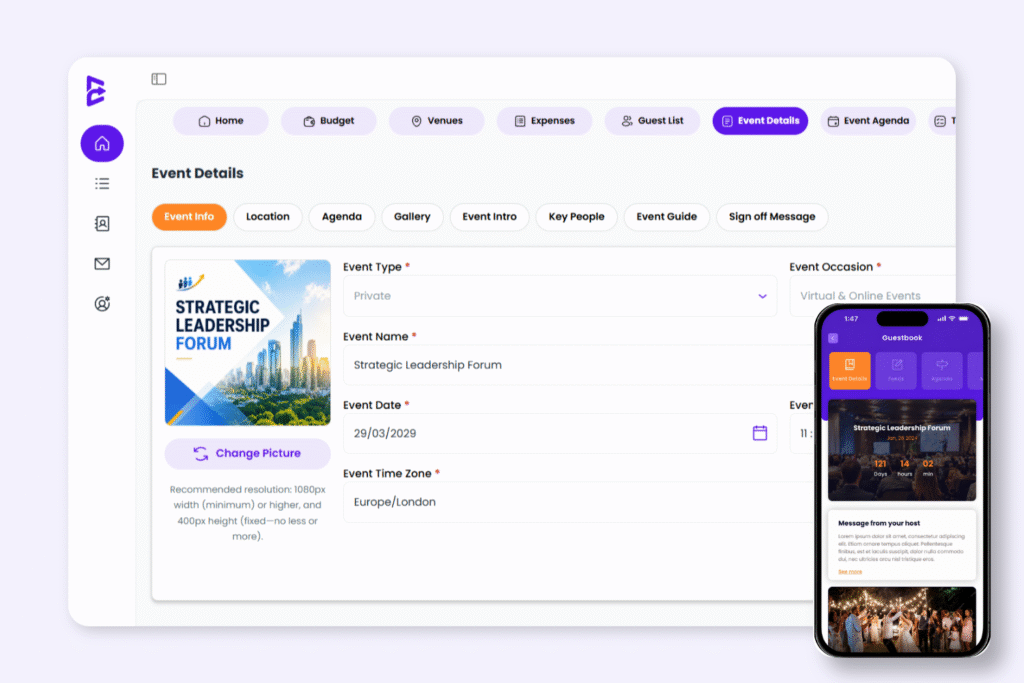
Create a complete guest-ready event experience by managing your event information, schedule, location, gallery and guest guidance in one place. Once saved, your updates automatically appear across your invitation page and event hub.
Keep All Guest-Facing Event Information In One Place
Manage all guest-facing event details from one central workspace. Keep schedules, locations, and event information organised and easy to update.
1.Set Up Core Event Information
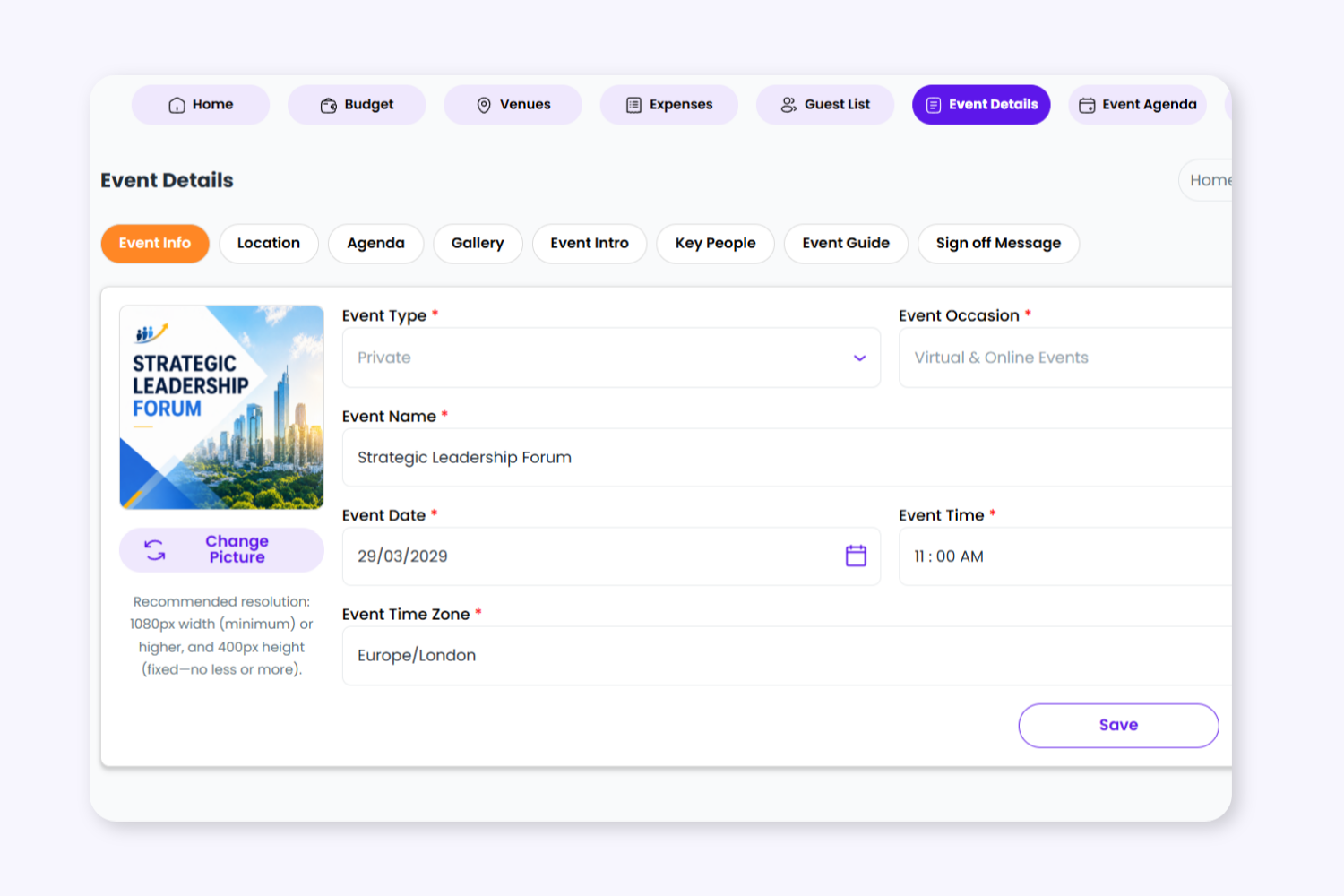
Add your event name, type, date, time, timezone and cover image to create the foundation for your event experience.
2. Share Clear Venue Information
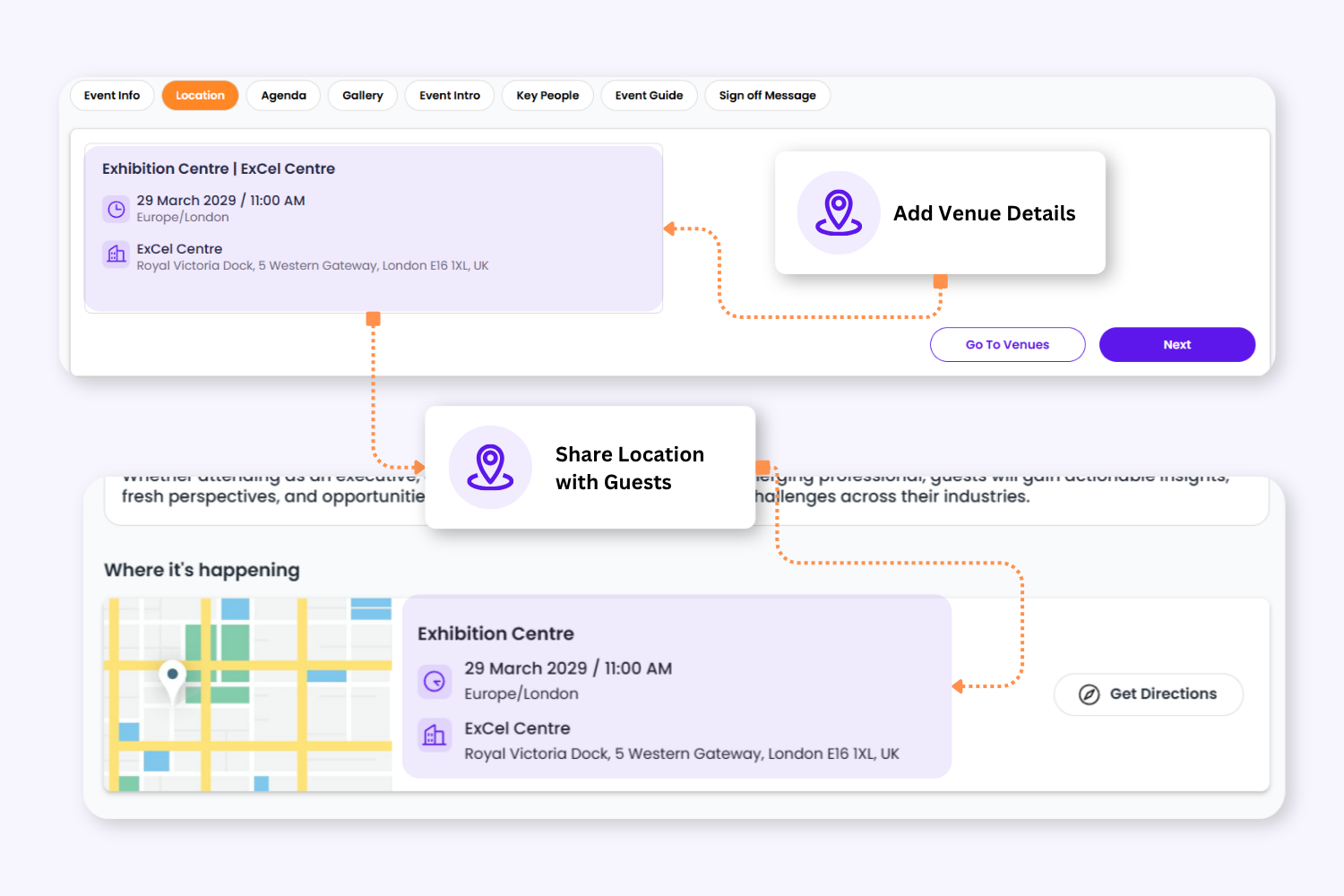
Add venue details, addresses, directions and location guidance so guests know exactly where to go.
2. Share Clear Venue Information
Add venue details, addresses, directions and location guidance so guests know exactly where to go.
3. Keep Guests Informed
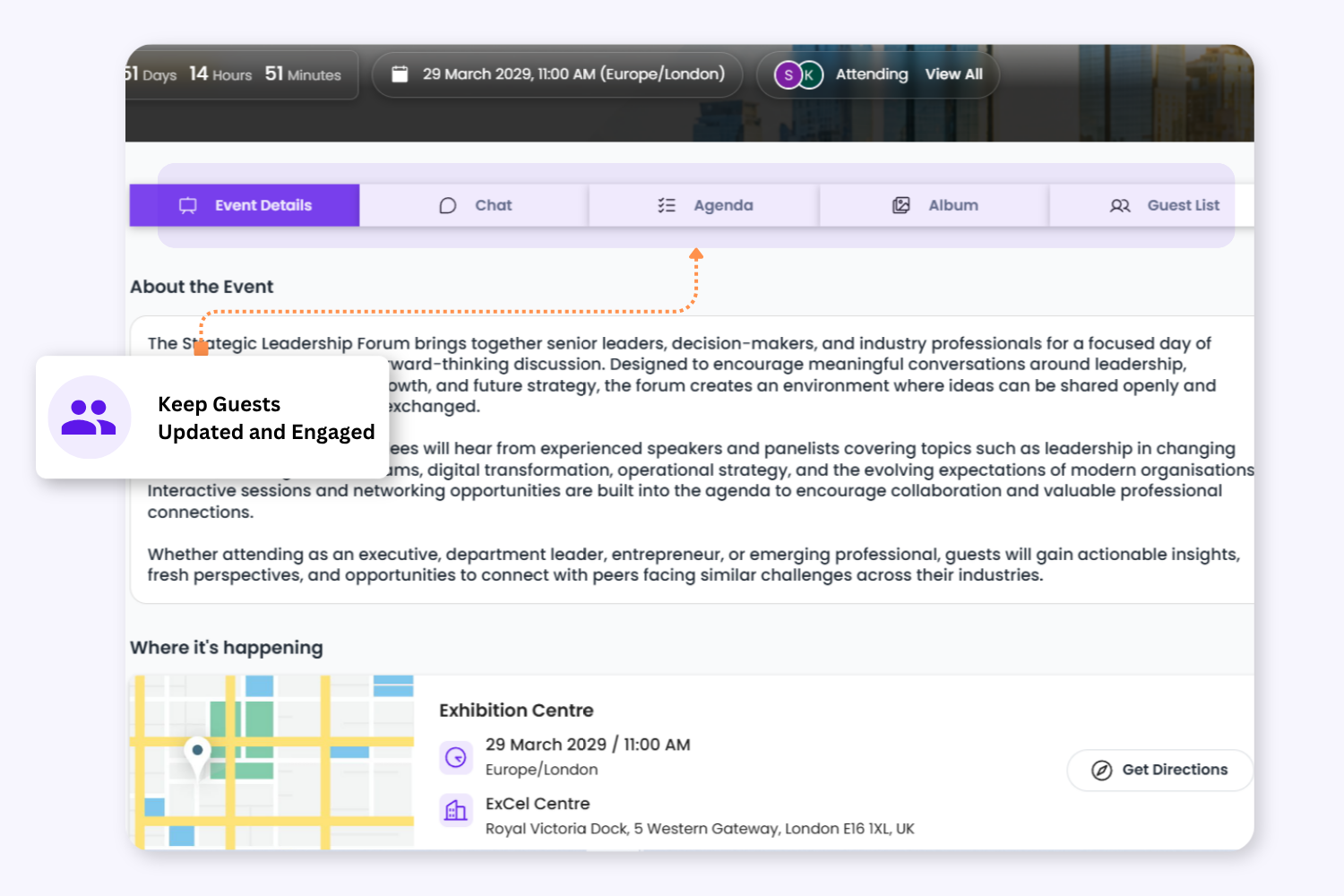
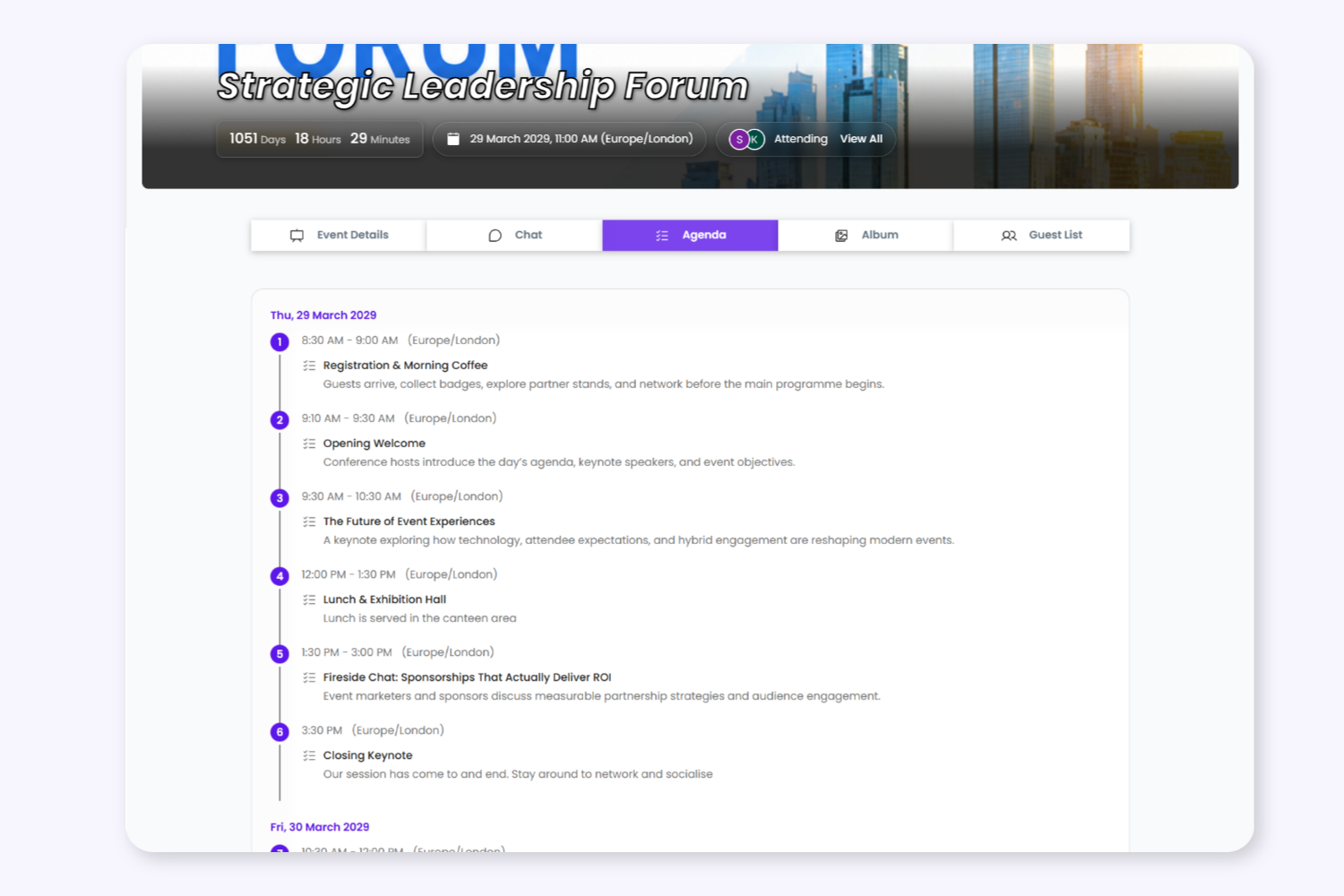
Create clear single or multi-day agendas while giving guests one central place to access schedules, event information, location details, galleries and important updates through the event hub.
4. Create A Complete Event Profile
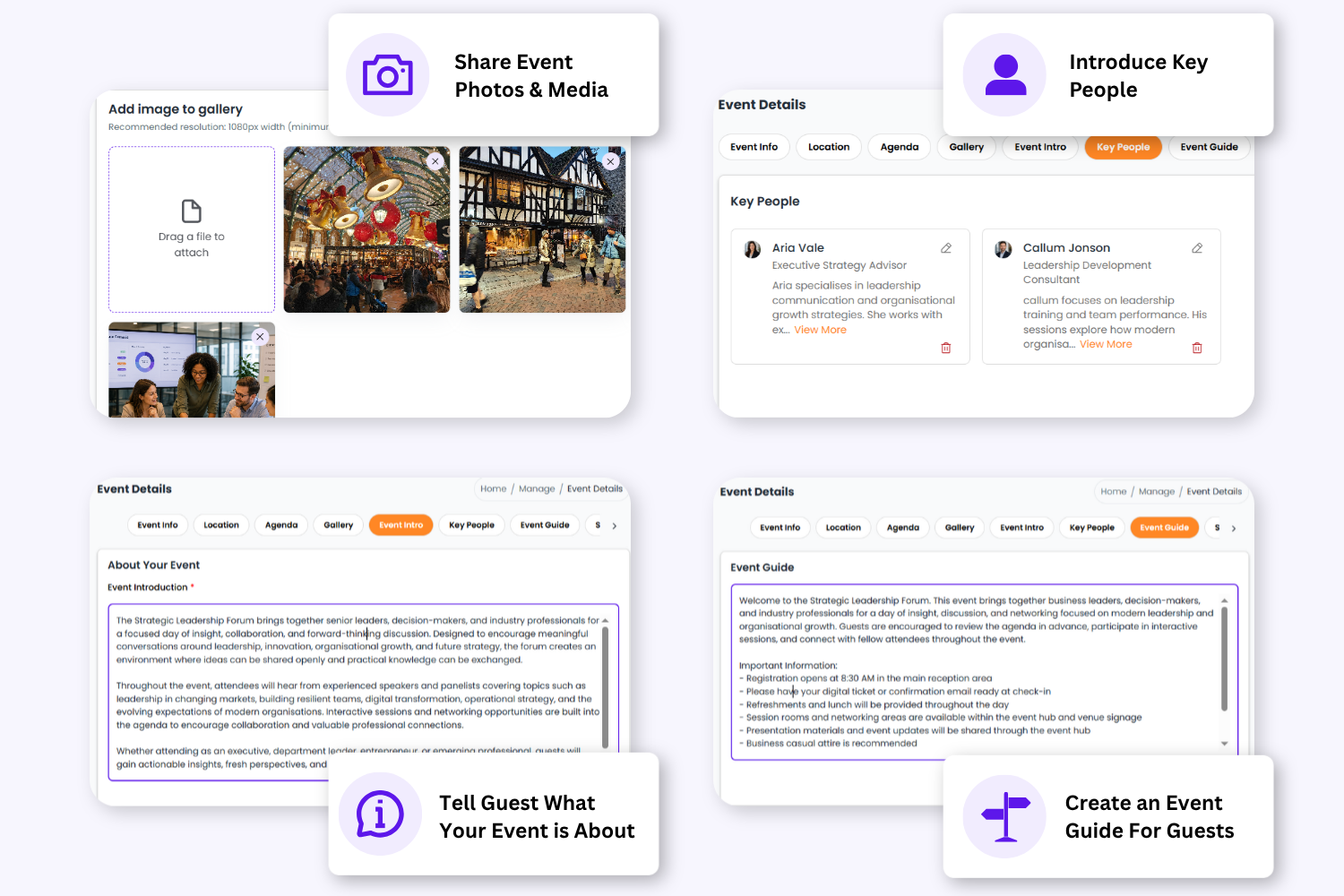
Add event introductions, image galleries, key people, guides and sign-off messages to help guests feel informed and prepared.
4. Create A Complete Event Profile
Add event introductions, image galleries, key people, guides and sign-off messages to help guests feel informed and prepared.
Organise Your Event With Dedicated Event Details Section
Event Information
Manage your core event details including event type, date, time, timezone and cover image
Location
Provide venue information, directions, guidance and location details.
Agenda
Create structured schedules for single or multi-day events with clear timings and descriptions.
Gallery
Upload event images and visual content guests can view inside the invitation page or event hub.
Event Intro
Introduce the purpose, atmosphere or background of the event before guests arrive.
Key People
Highlight organisers, speakers, hosts, sponsors or important attendees.
Event Guide
Share useful guest guidance such as dress code, arrival instructions or FAQs.
Sign-Off Message
Finish the guest experience with a short personalised closing message.
Keep Guests Updated Automatically
As soon as event details are saved, Envitely automatically updates the guest invitation page and event hub in real time, giving guests instant access to schedules, venue details, guides and important event information.
✔ One Central Place For Event Information
✔ Keep Guests Updated In Real Time
✔ Reduce Guest Questions & Confusion ✔ Create A More Organised Guest Experience
To provide the best experiences, we use technologies like cookies to store and/or access device information. Consenting to these technologies will allow us to process data such as browsing behaviour or unique IDs on this site. Not consenting or withdrawing consent, may adversely affect certain features and functions.
Functional
Always active
The technical storage or access is strictly necessary for the legitimate purpose of enabling the use of a specific service explicitly requested by the subscriber or user, or for the sole purpose of carrying out the transmission of a communication over an electronic communications network.
Preferences
The technical storage or access is necessary for the legitimate purpose of storing preferences that are not requested by the subscriber or user.
Statistics
The technical storage or access that is used exclusively for statistical purposes.The technical storage or access that is used exclusively for anonymous statistical purposes. Without a subpoena, voluntary compliance on the part of your Internet Service Provider, or additional records from a third party, information stored or retrieved for this purpose alone cannot usually be used to identify you.
Marketing
The technical storage or access is required to create user profiles to send advertising, or to track the user on a website or across several websites for similar marketing purposes.