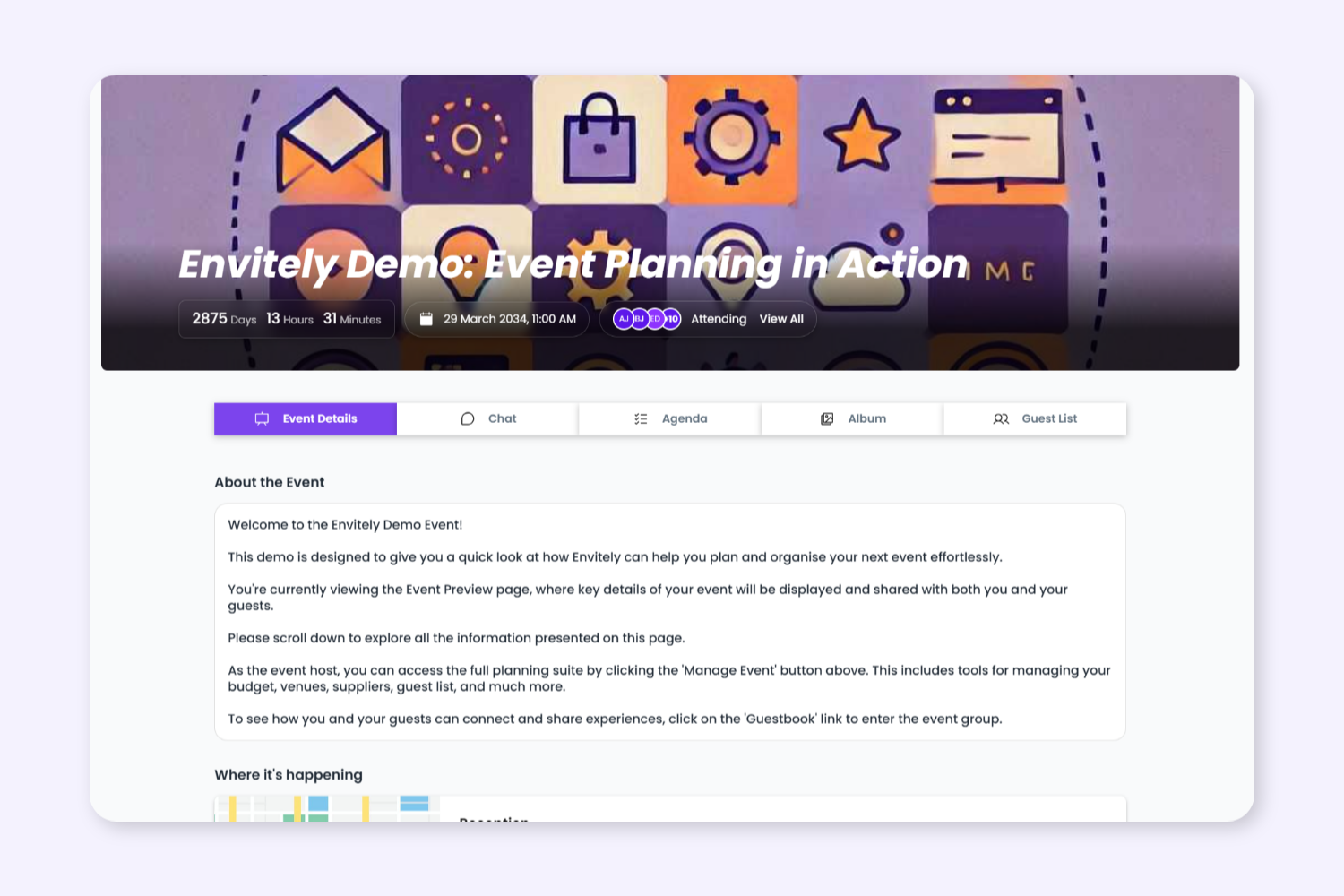
Run both private invitation-only events and open registration events using the same organised event management workflow.
1. Choose Between Invite-Only or Open Registration
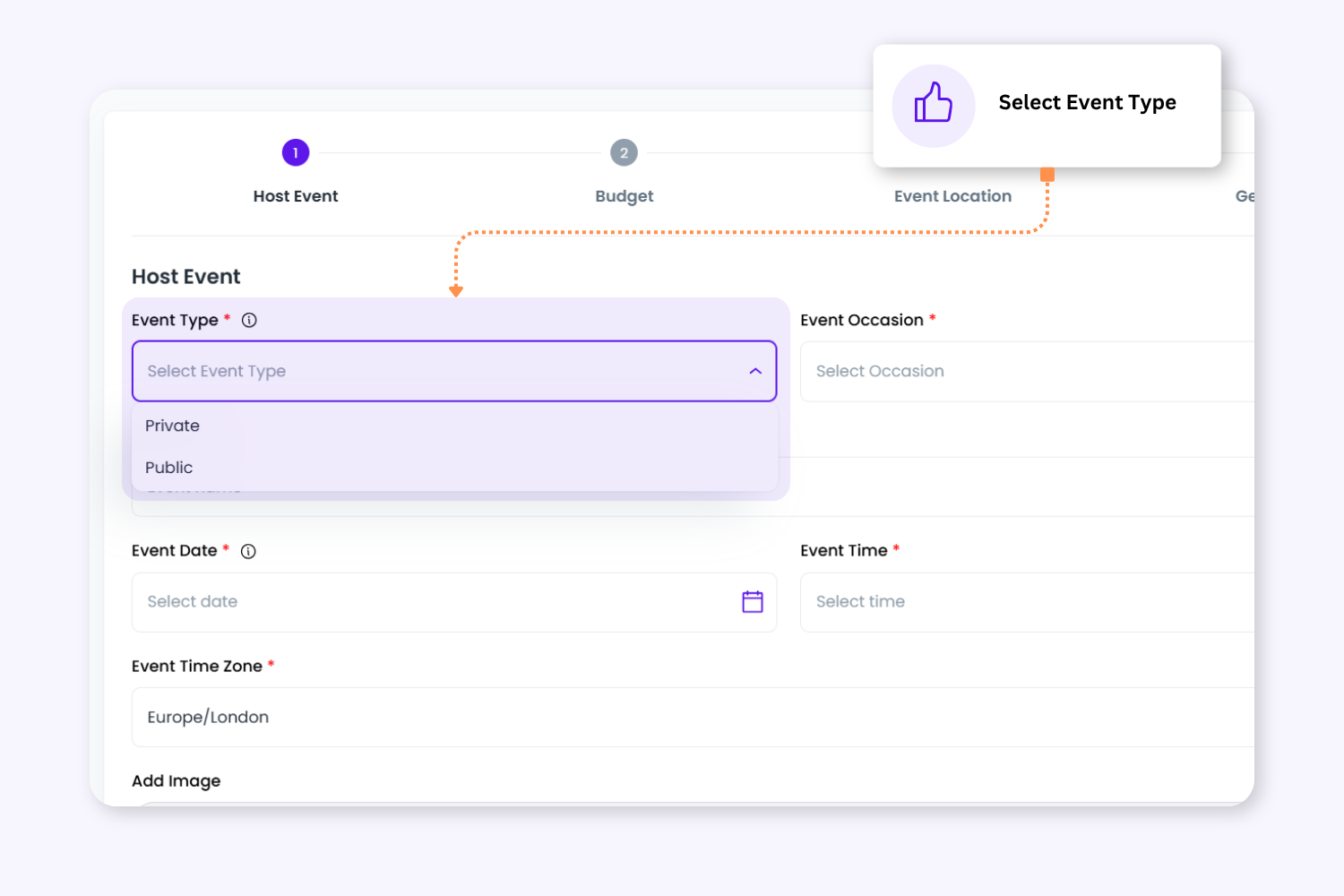
Set events as Public or Private depending on how attendees should access the event. Restrict attendance to invited guests or allow open registration through a public event page and shareable registration link.
2. Grow Attendance With Shareable Public Events
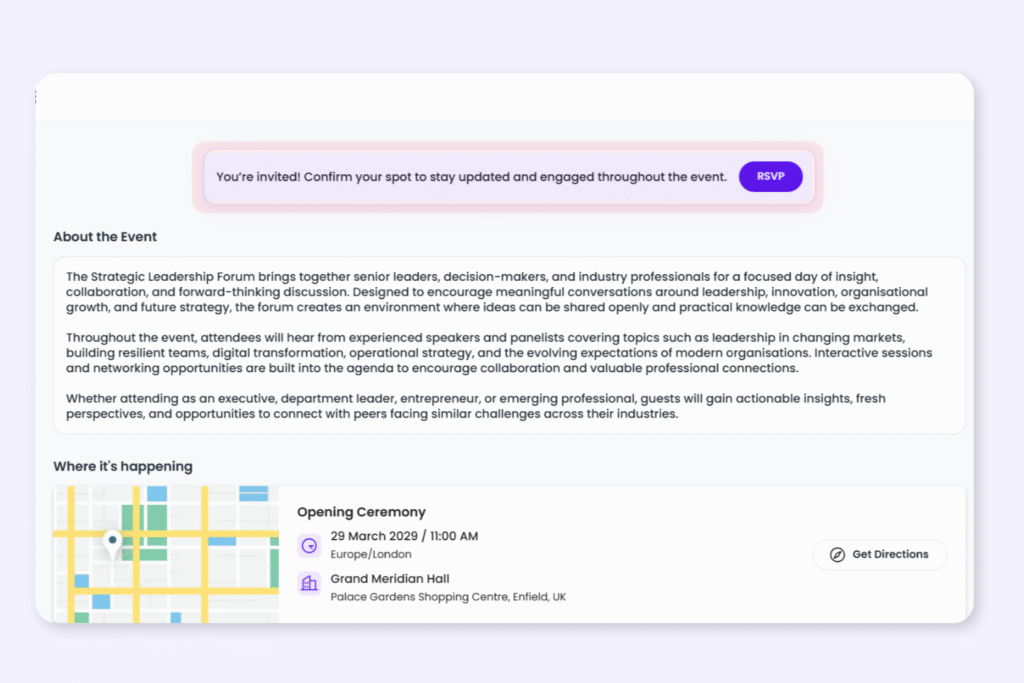
Public events make it easy for organisers to increase visibility and attendance through open registration. Guests can join instantly using a shared event link while organisers continue managing attendance from one central guest system.
2. Grow Attendance With Shareable Public Events
Public events make it easy for organisers to increase visibility and attendance through open registration. Guests can join instantly using a shared event link while organisers continue managing attendance from one central guest system.
3. Keep Private Events Controlled and Organised
Private events help organisers control attendance through invitation-only access and managed guest lists. Ideal for internal company events, VIP experiences, private programmes, and restricted-access gatherings.
4. Manage All Attendees From One Connected Workflow
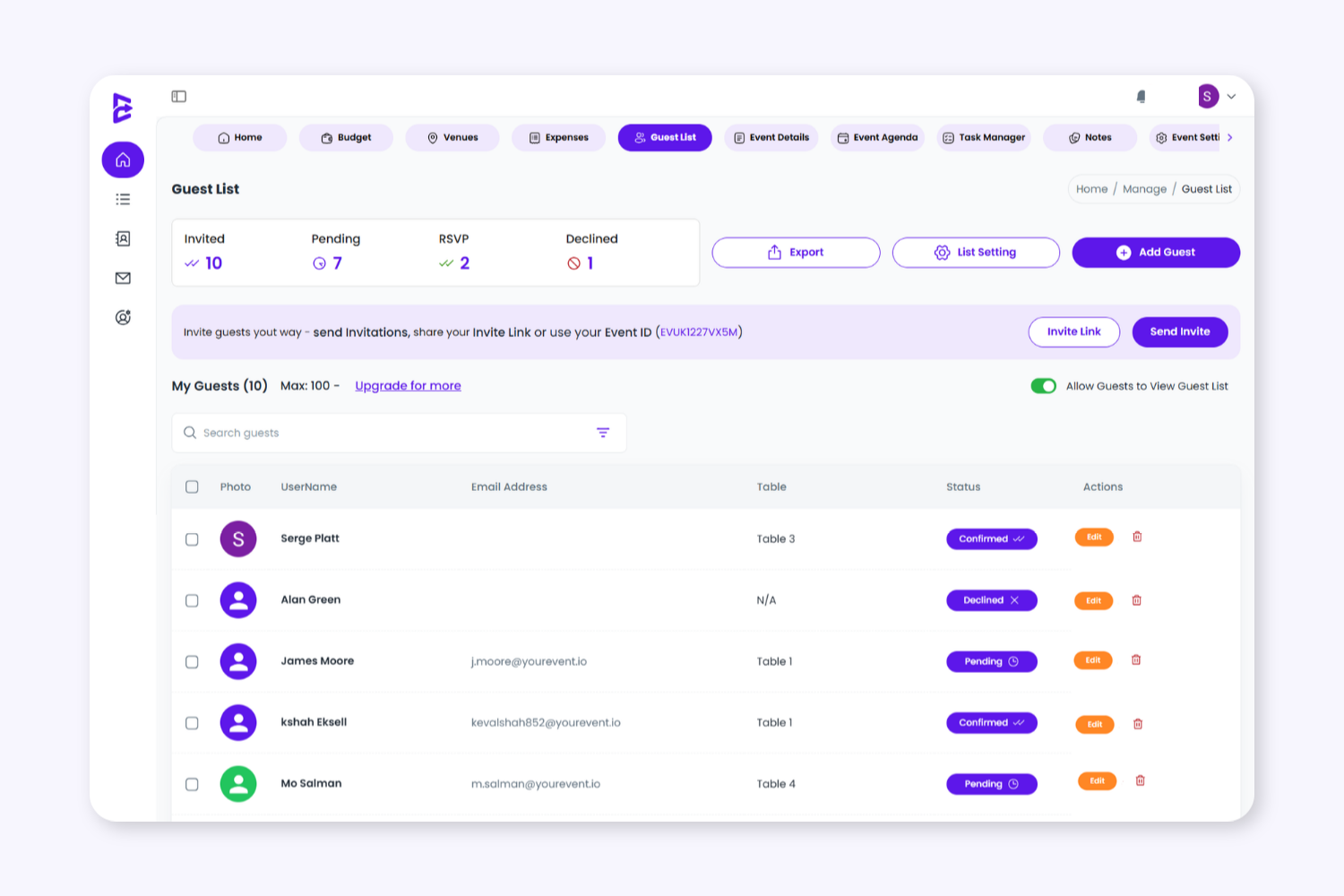
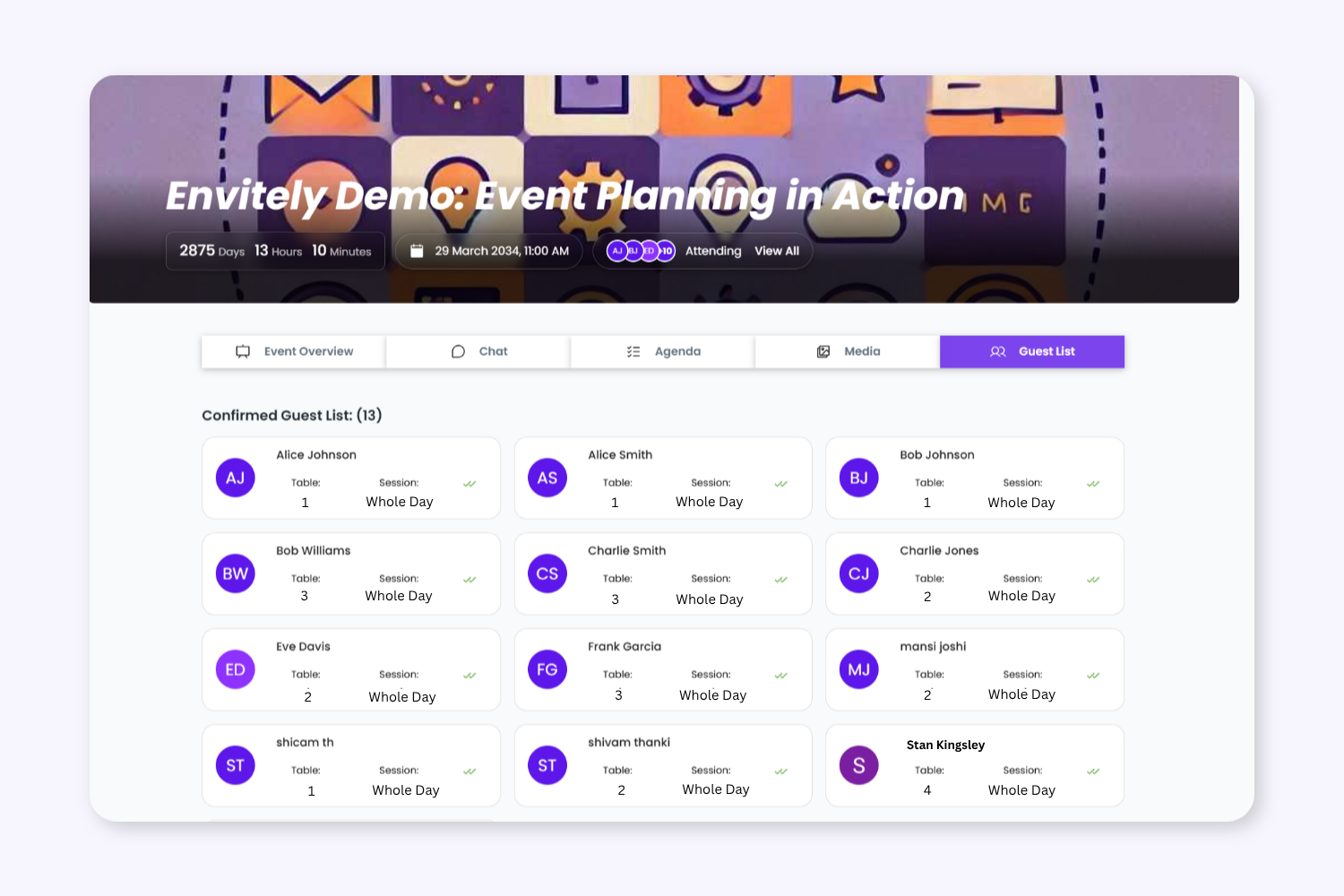
Whether events are public or private, organisers can still manage schedules, guest groups, RSVP statuses, announcements, and attendee communication from the same connected event management platform.
4. Manage All Attendees From One Connected Workflow
Whether events are public or private, organisers can still manage schedules, guest groups, RSVP statuses, announcements, and attendee communication from the same connected event management platform.
Keep Event Planning Tasks Organised From Start To Finish
Control access through a managed guest list and invitation workflow. Private events are ideal for internal company events, VIP experiences, exclusive gatherings, and invite-only programmes where attendance needs to stay controlled.
Public Events
Allow anyone to register and join the event through a public event page and shareable registration link. Public events help organisers grow attendance while still managing guests, schedules, and communication from one central system.
Built for Professional, Corporate, and Community Events
Envitely supports a wide range of event formats that require different attendee access models and registration workflows.
No. Organisers must choose whether an event is Public or Private when creating the event. Once the event type has been selected, it cannot be changed and a new event would need to be created.
Yes. Public event registration links are designed to be shareable to help organisers grow attendance and participation.
Plan on Desktop. Manage on Mobile.
View live schedules, agenda updates, and event information from mobile, tablet, or desktop before and during your event.
Run Public and Private Events From One Platform
Manage registrations, invitations, guest communication, schedules, and attendee access using one connected event management workflow designed for modern events.
To provide the best experiences, we use technologies like cookies to store and/or access device information. Consenting to these technologies will allow us to process data such as browsing behaviour or unique IDs on this site. Not consenting or withdrawing consent, may adversely affect certain features and functions.
Functional
Always active
The technical storage or access is strictly necessary for the legitimate purpose of enabling the use of a specific service explicitly requested by the subscriber or user, or for the sole purpose of carrying out the transmission of a communication over an electronic communications network.
Preferences
The technical storage or access is necessary for the legitimate purpose of storing preferences that are not requested by the subscriber or user.
Statistics
The technical storage or access that is used exclusively for statistical purposes.The technical storage or access that is used exclusively for anonymous statistical purposes. Without a subpoena, voluntary compliance on the part of your Internet Service Provider, or additional records from a third party, information stored or retrieved for this purpose alone cannot usually be used to identify you.
Marketing
The technical storage or access is required to create user profiles to send advertising, or to track the user on a website or across several websites for similar marketing purposes.