Guest Invitations & Access

Simplify Guest Invitations and Event Access

Send invitations by email or share a direct invite link so guests can view event details, RSVP, and access the Event Hub.

Simplify the Guest Invitation Experience

Keep guest invitations, RSVP tracking, and attendee access organised from invitation to event day. Envitely helps planners manage guest communication and event access from one connected workflow.

1. Invite Guests Your Way

Manage your guest list and choose how guests access the event. Send invitation emails, share a direct invite link, or provide an Event ID guests can use to access the event and respond to invitations.

2. Give Guests One Central Invite Page

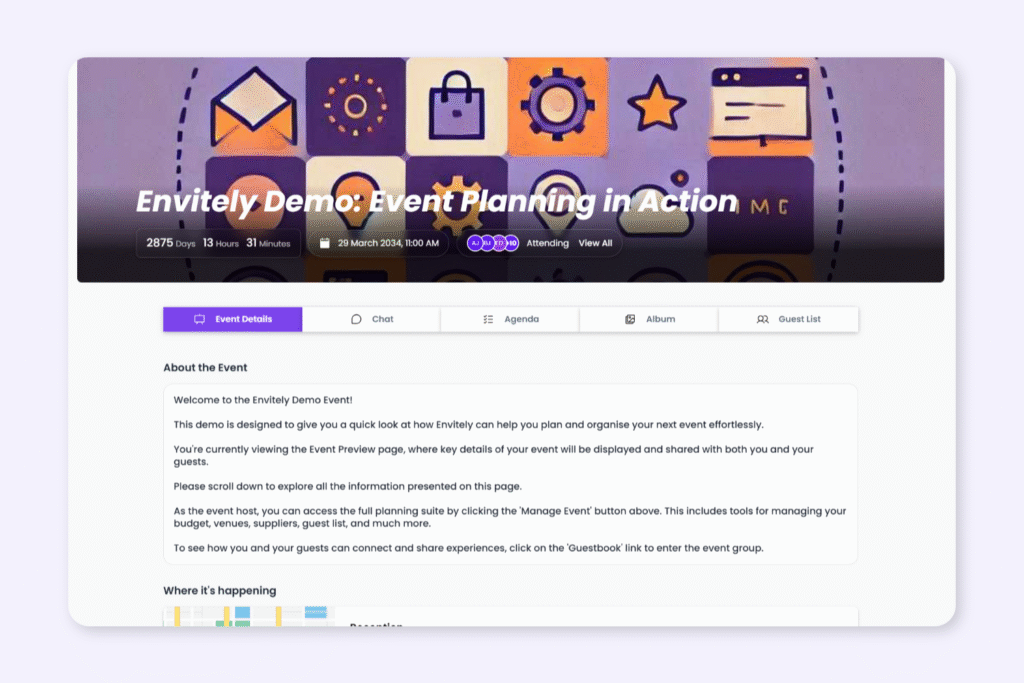
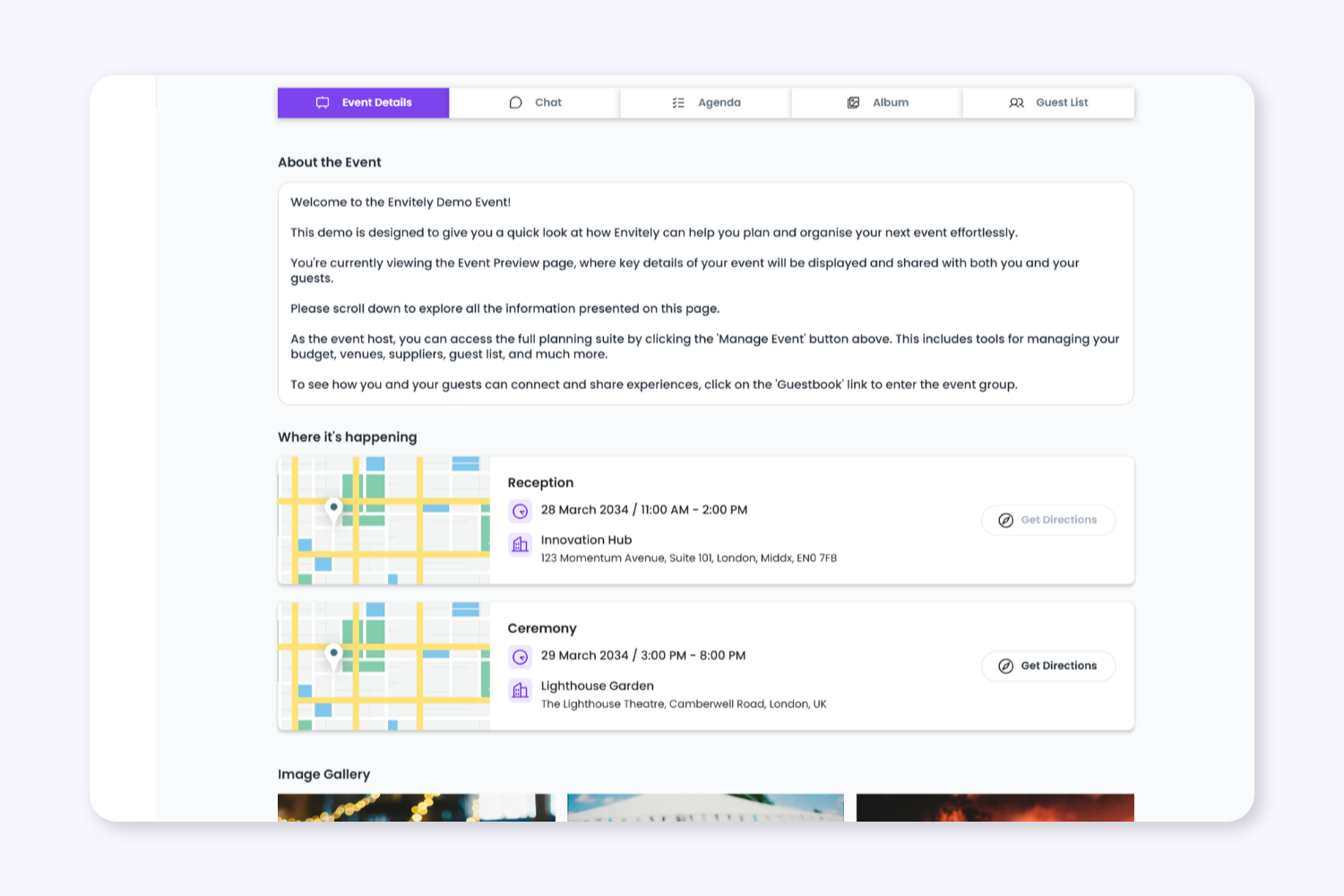
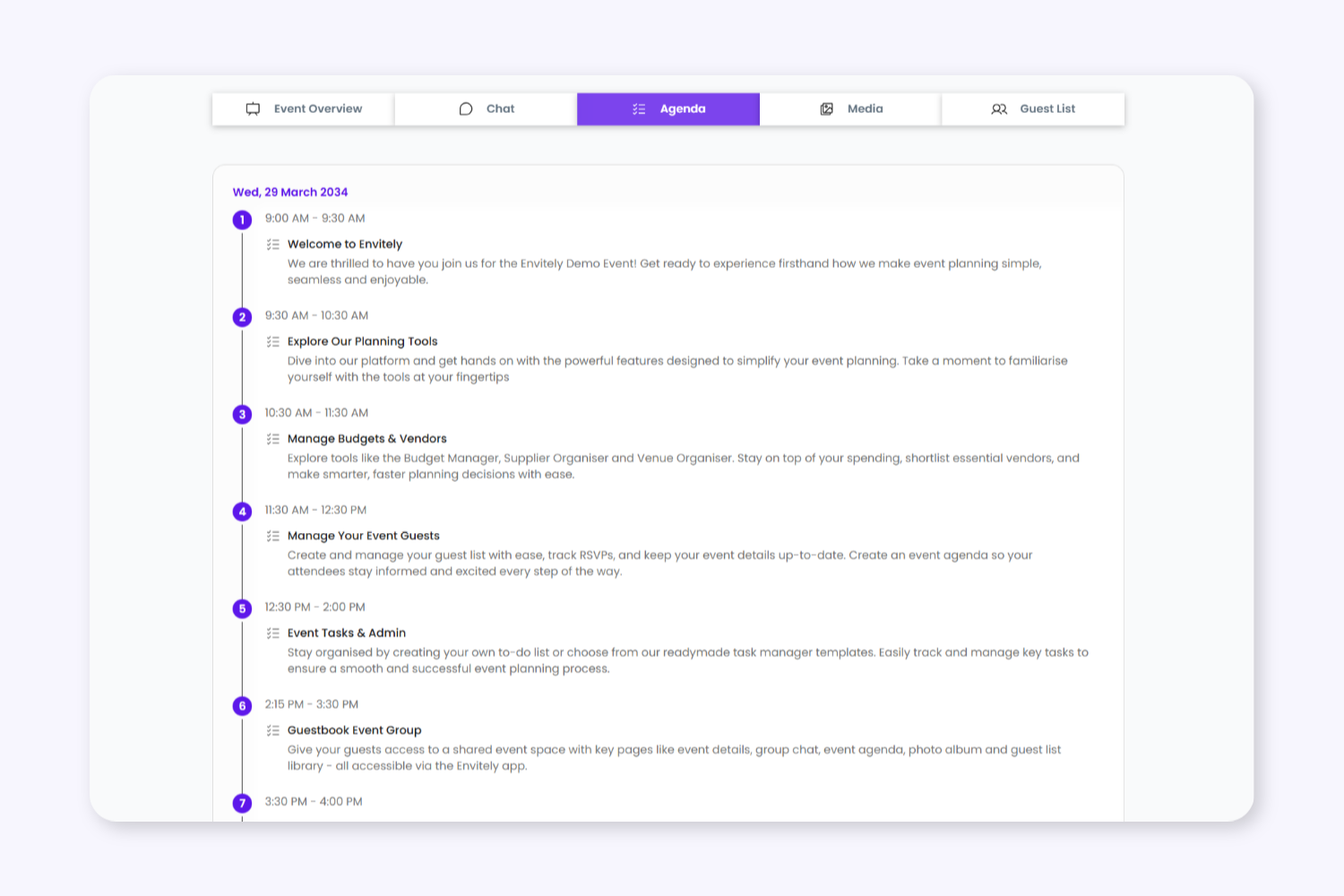
Guests can access the event invite page to review schedules, venues, announcements, and important event details before responding to the invitation. The invite page acts as a central destination for guest communication before the event.


2. Give Guests One Central Invite Page

Guests can access the event invite page to review schedules, venues, announcements, and important event details before responding to the invitation. The invite page acts as a central destination for guest communication before the event.

3. Flexible RSVP and Guest Access

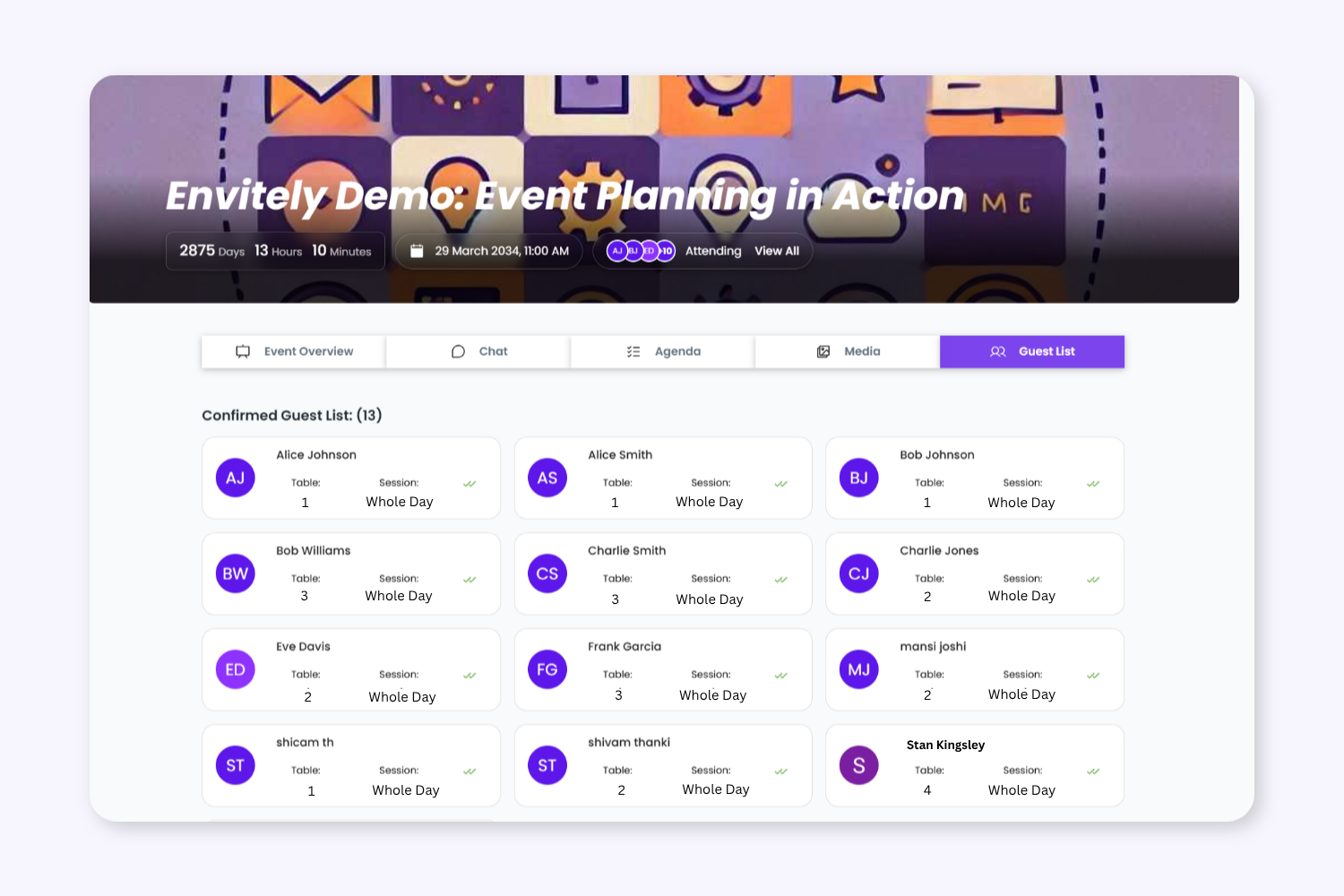
Guests can log in or create an Envitely account to RSVP and access attendee features. For guests who prefer not to register, planners can still manage RSVP responses manually.
Keep Event Planning Tasks Organised From Start To Finish

Your Event Workflow Automatically Powers The Attendee Experience

Manage Your Guest List

Add guest information, attendee groups, RSVP access, and event details inside Envitely.

Auto Generate Invite Page

Envitely transforms your event setup into a connected invitation and attendee experience without duplicate admin or manual invitation building.

Keep Invitations & Access Connected

As your event evolves, schedules, RSVP access, attendee information, and Event Hub access stay synchronised across the platform.

Your Event Setup Becomes the Guest Experience

As planners manage schedules, venues, speakers, media, and attendee information inside Envitely, connected invite pages and attendee access stay automatically updated throughout the event journey.
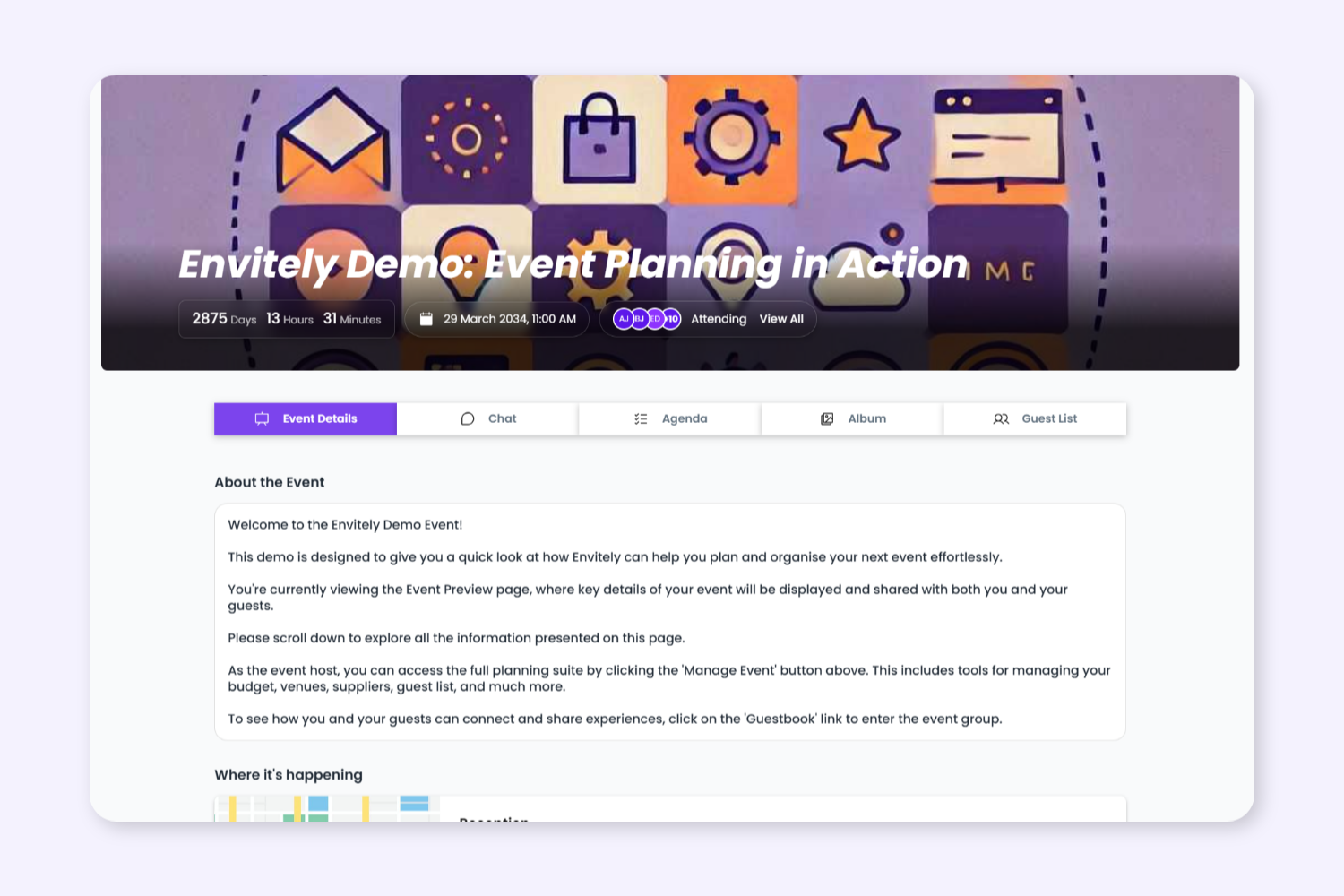

 

  View Invite Page Example →

Auto Generated Page
Connected Event Details
Reduced Manual Admin
Always Up-To-Date

FAQ

No. Guests can open the invite page and view event information without creating an account or logging in.

Guests can create or log in to an Envitely account to RSVP directly through the invite page. If a guest prefers not to register, planners can manually update their RSVP status from the dashboard.

Yes. Planners can share a direct event invite link or provide an Event ID guests can use to access the event inside Envitely.

Guests can view event details, schedules, venue information, announcements, and other attendee information shared by the planner before responding to the invitation.

Once accepted, guests can access the Envitely Event Hub where they can view event updates, schedules, galleries, announcements, and attendee engagement features.

Yes. As planners update event details inside Envitely, connected invite pages and attendee access stay synchronised automatically.

Yes. Planners can manually update RSVP statuses, manage guest access, and organise attendee information directly from the Envitely dashboard.

Yes. Guest invitations, RSVP tracking, attendee access, and Event Hub features are connected through one organised workflow inside Envitely.

Plan on Desktop. Manage on Mobile.​​​​

View live schedules, agenda updates, and event information from mobile, tablet, or desktop before and during your event.

Transform Your Event Workflow Into A Connected Guest Experience

Envitely automatically transforms your event setup into professional attendee-facing Event Pages that stay connected as your event evolves.