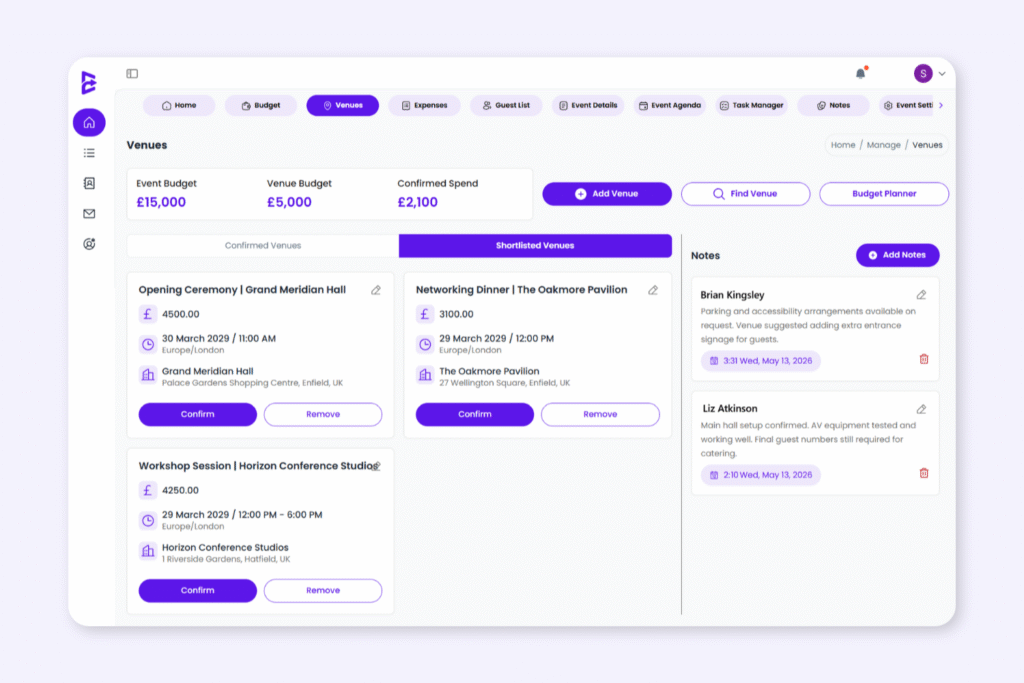
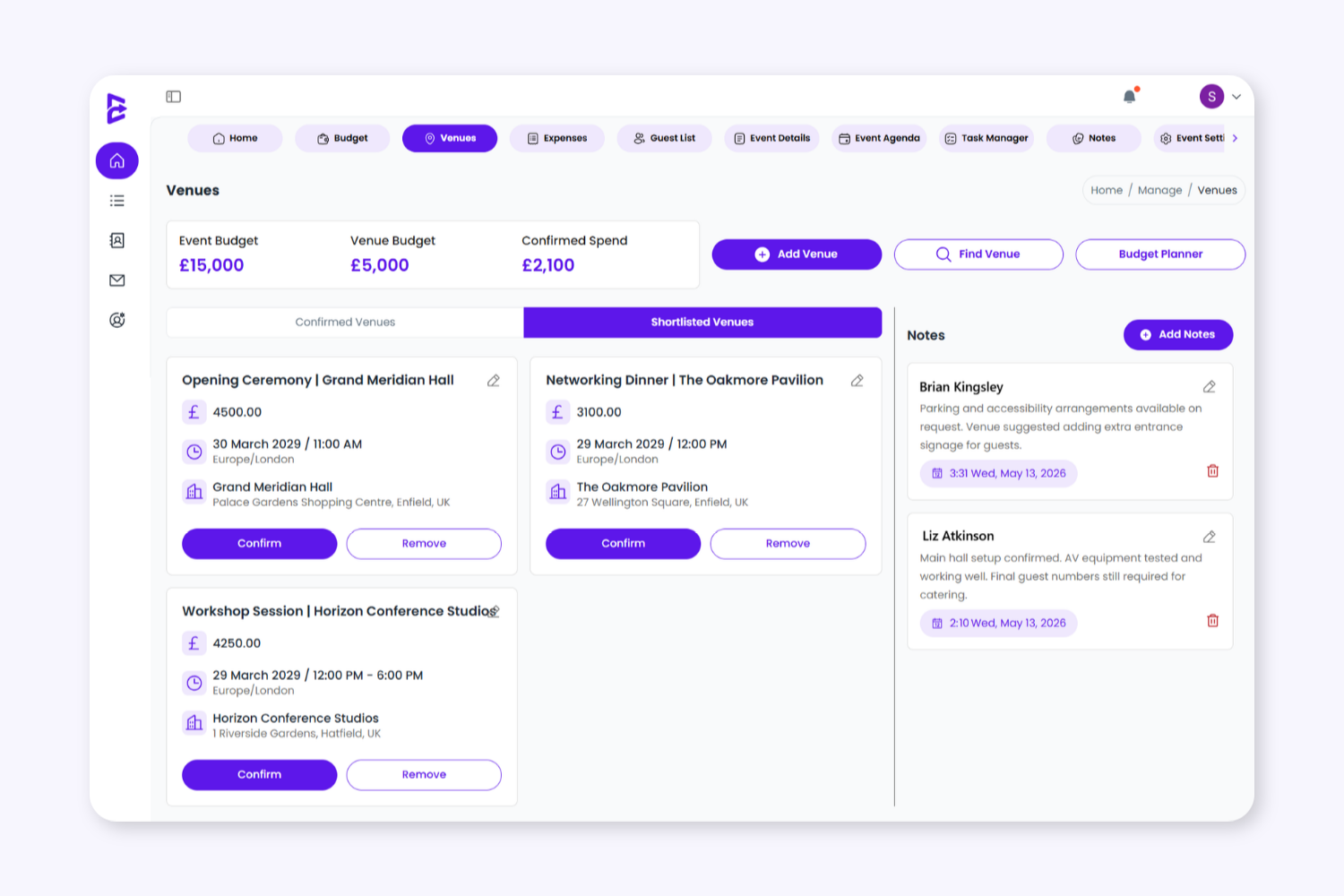
Compare venue options, manage quotes, store key details, and confirm your final venue choice in one dedicated planning space. Keep venue costs separate from operational spending for clearer budget visibility.
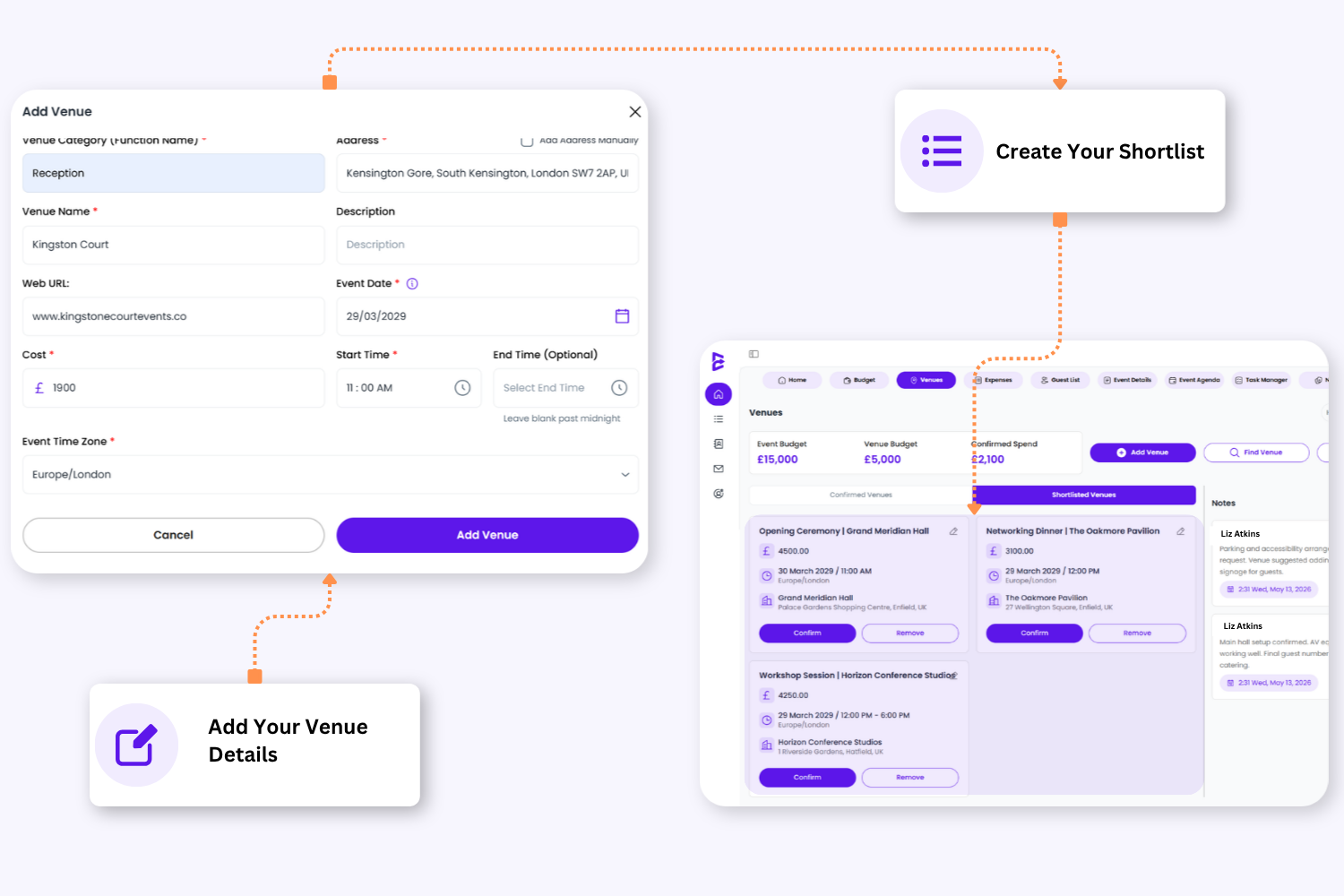
1. Build Your Venue Shortlist
Add one or multiple venue options with names, descriptions, addresses, websites, contact details, and quoted prices so every location is easy to review and manage.
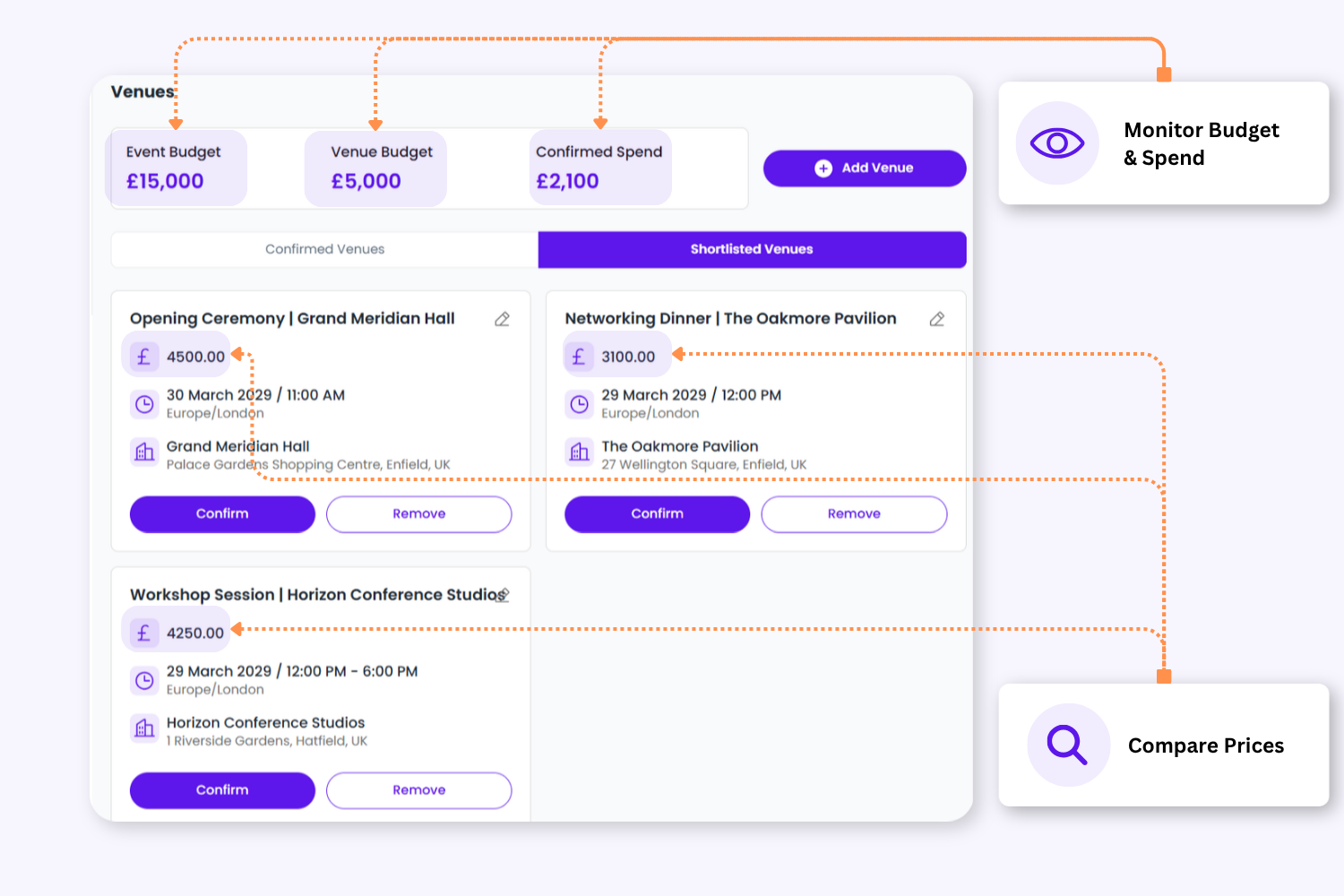
2. Compare Costs Clearly
Record venue hire quotes and keep track of estimated costs before anything is confirmed as part of your event spend.
2. Compare Costs Clearly
Record venue hire quotes and keep track of estimated costs before anything is confirmed as part of your event spend.
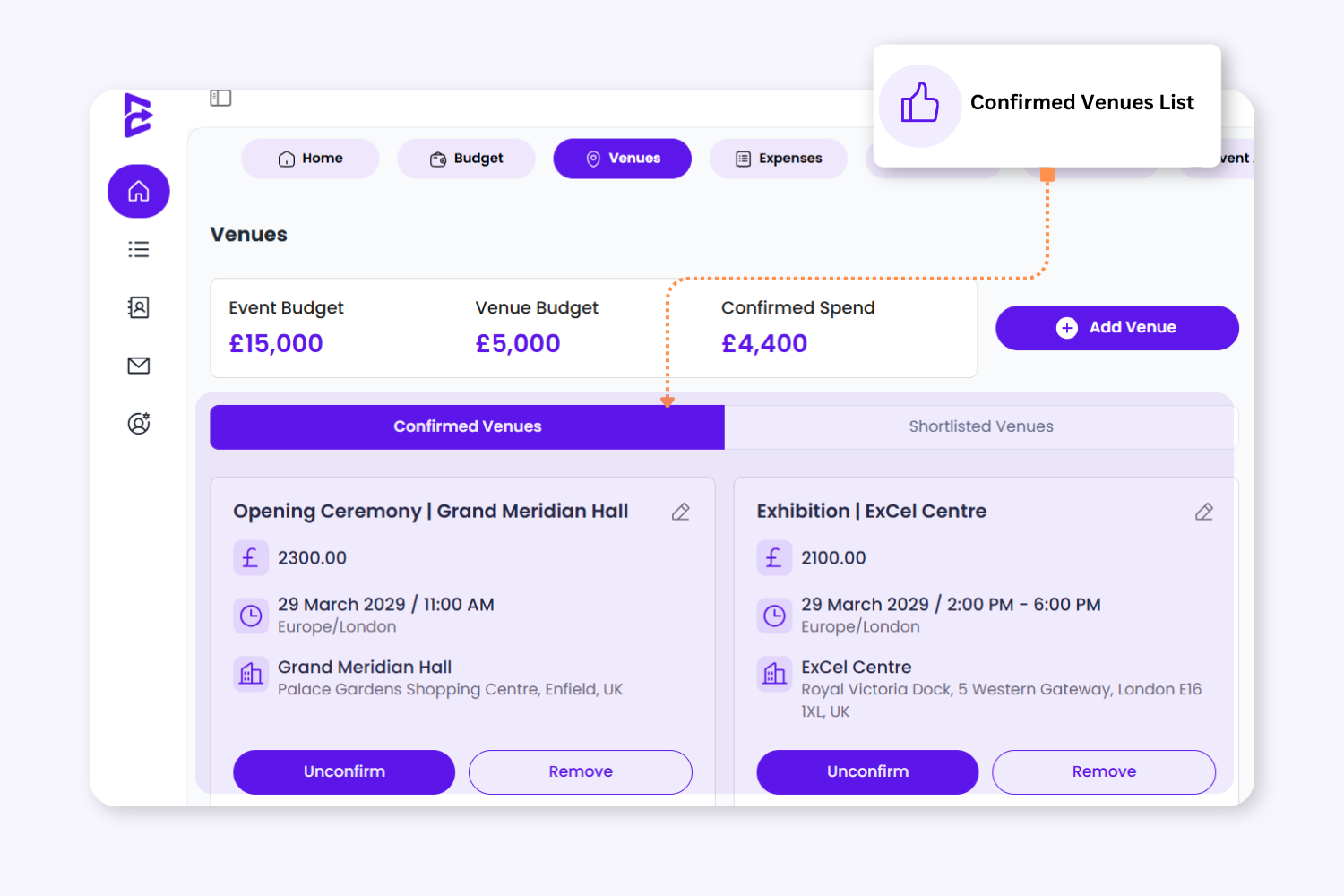
3. Only Confirm When Ready
Venue costs are only added once the venue is confirmed, helping you separate early quotes from agreed or completed bookings.
4. Keep Attendees Informed
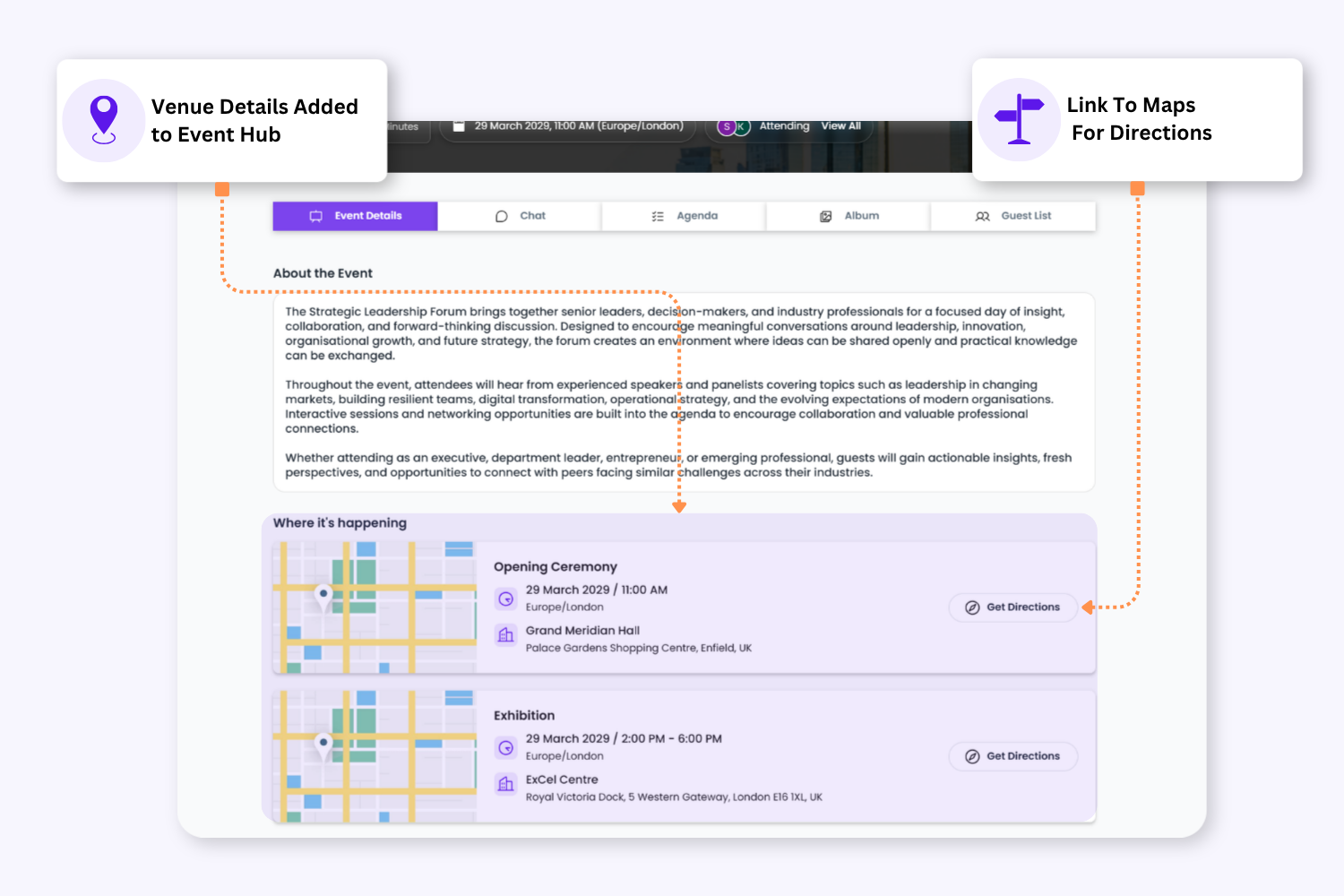
Once confirmed, venue information automatically updates across the invitation page and the Guestbook event hub. If a full address is added, attendees can quickly open directions in Google Maps.
4. Keep Attendees Informed
Once confirmed, venue information automatically updates across the invitation page and guest event hub. If a full address is added, attendees can quickly open directions in Google Maps.
Keep Venue Planning Organised From Start To Finish
Enter the venue name, address, website, quote, and key details for each potential venue.
Review and compare
Keep venues in your shortlist while comparing pricing, suitability, availability, and event requirements.
Confirm venue
Once the booking is agreed, mark the venue as confirmed to update your confirmed venue spend.
Update event information
Confirmed venue details automatically update across the invitation page and guest event hub.
Keep Venue Costs Separate from Operational Spend
Envitely separates venue planning from wider event expenses, giving you a clearer view of your venue budget and confirmed venue spend. This makes it easier to understand how much has been allocated, what has been quoted, and what has actually been confirmed.
Yes. You can confirm and manage multiple venues or event locations within the same event, making it easier to organise multi-site or multi-day events with separate locations.
To provide the best experiences, we use technologies like cookies to store and/or access device information. Consenting to these technologies will allow us to process data such as browsing behaviour or unique IDs on this site. Not consenting or withdrawing consent, may adversely affect certain features and functions.
Functional
Always active
The technical storage or access is strictly necessary for the legitimate purpose of enabling the use of a specific service explicitly requested by the subscriber or user, or for the sole purpose of carrying out the transmission of a communication over an electronic communications network.
Preferences
The technical storage or access is necessary for the legitimate purpose of storing preferences that are not requested by the subscriber or user.
Statistics
The technical storage or access that is used exclusively for statistical purposes.The technical storage or access that is used exclusively for anonymous statistical purposes. Without a subpoena, voluntary compliance on the part of your Internet Service Provider, or additional records from a third party, information stored or retrieved for this purpose alone cannot usually be used to identify you.
Marketing
The technical storage or access is required to create user profiles to send advertising, or to track the user on a website or across several websites for similar marketing purposes.