

Team Collaboration & Permissions
Collaborate on Events Without Losing Control
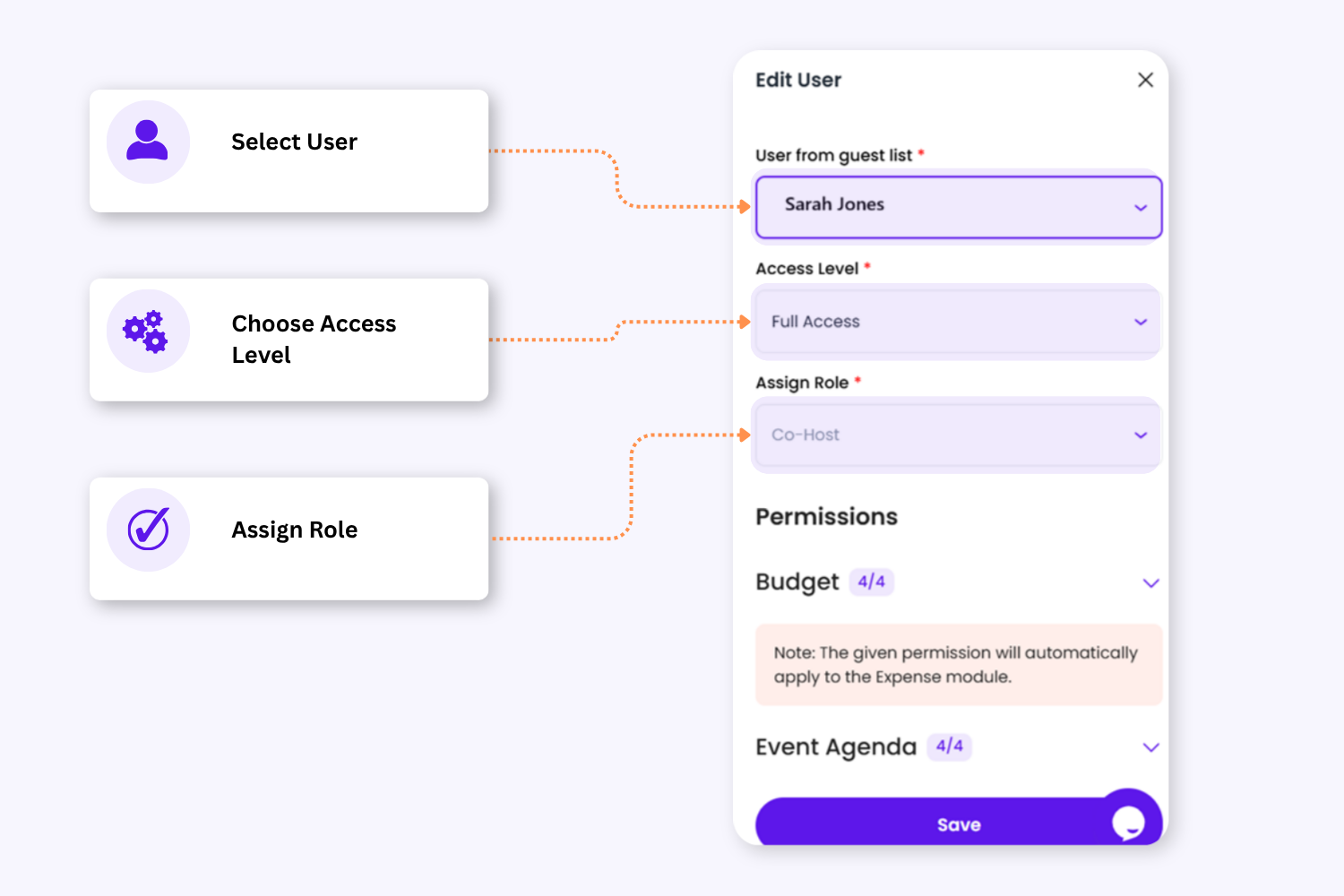
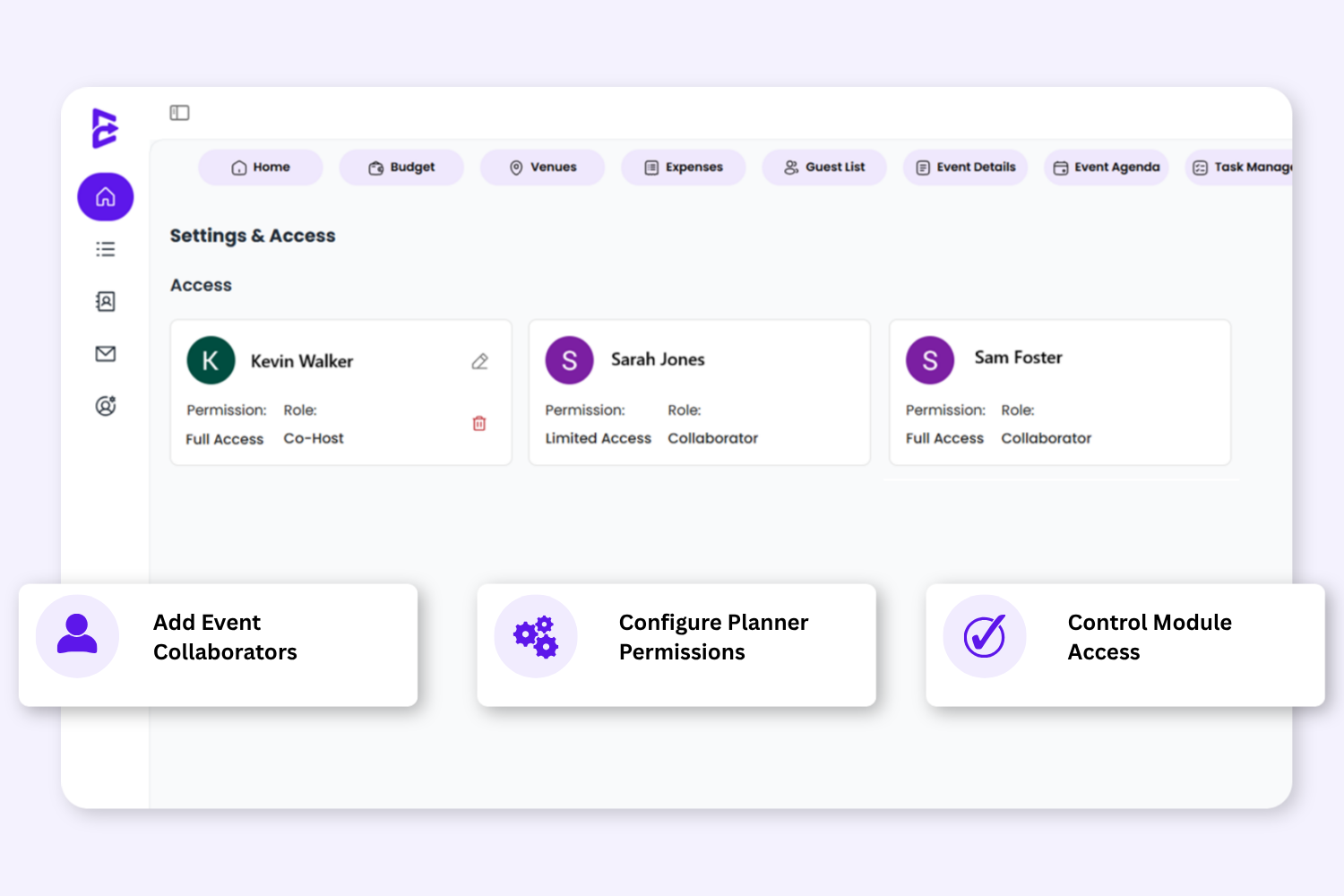
Add Co-host & Collaborators
Control Permissions & Access
Plan Better Together
Add Co-host & Collaborators
Control Permissions & Access
Plan Better Together
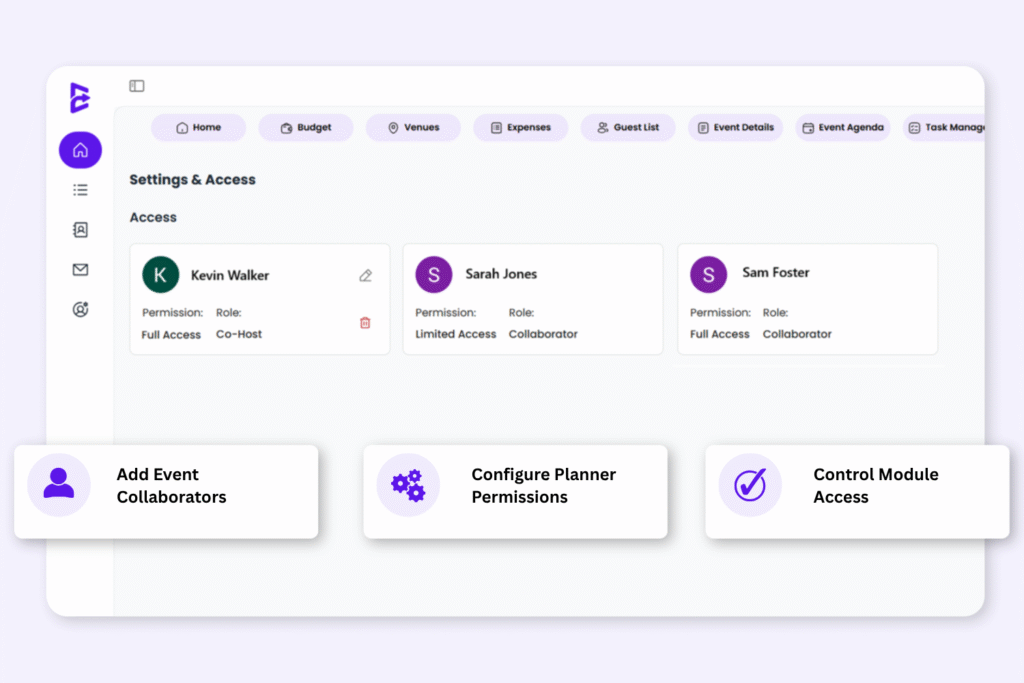
Built For Structured Event Collaboration
Assign co-hosts and collaborators to individual events while controlling planner access, permissions, and responsibilities across your planning workflow.
1. Structured Planner Roles For Every Event
✓ Host: The Host is the owner and primary organiser of the event.
✓ Co-Host:Each event can have one Co-Host to help plan and manage the event with elevated access.
✓ Collaborator: Collaborators can support selected event tasks based on assigned permissions.
2. Event Level Access
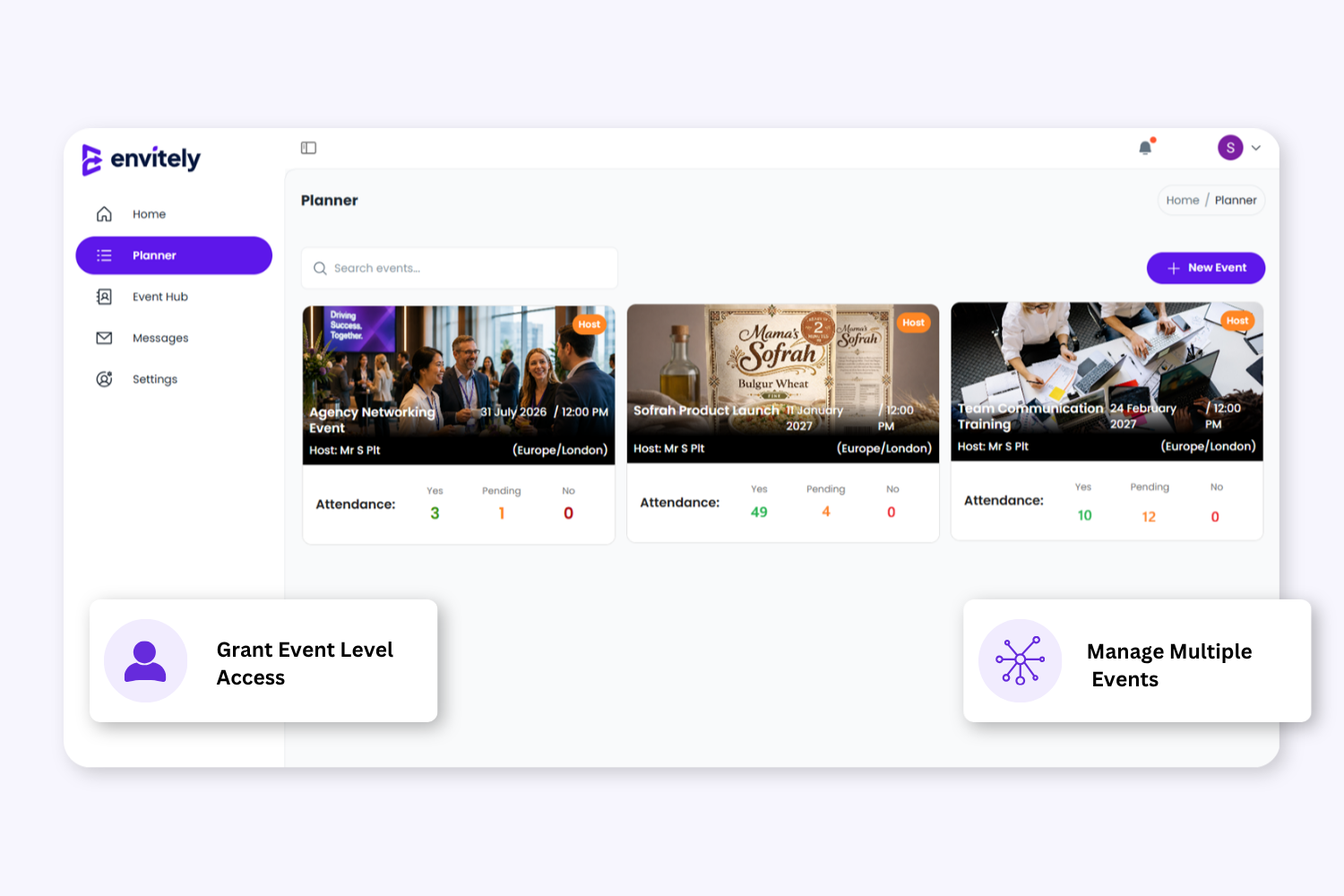
Assign different collaborators to different events without giving account-wide access. Keep event information organised, controlled, and separated across each planning workspace.
2. Event Level Access
Assign different collaborators to different events without giving account-wide access. Keep event information organised, controlled, and separated across each planning workspace.
3. Manage Event Access & Permissions
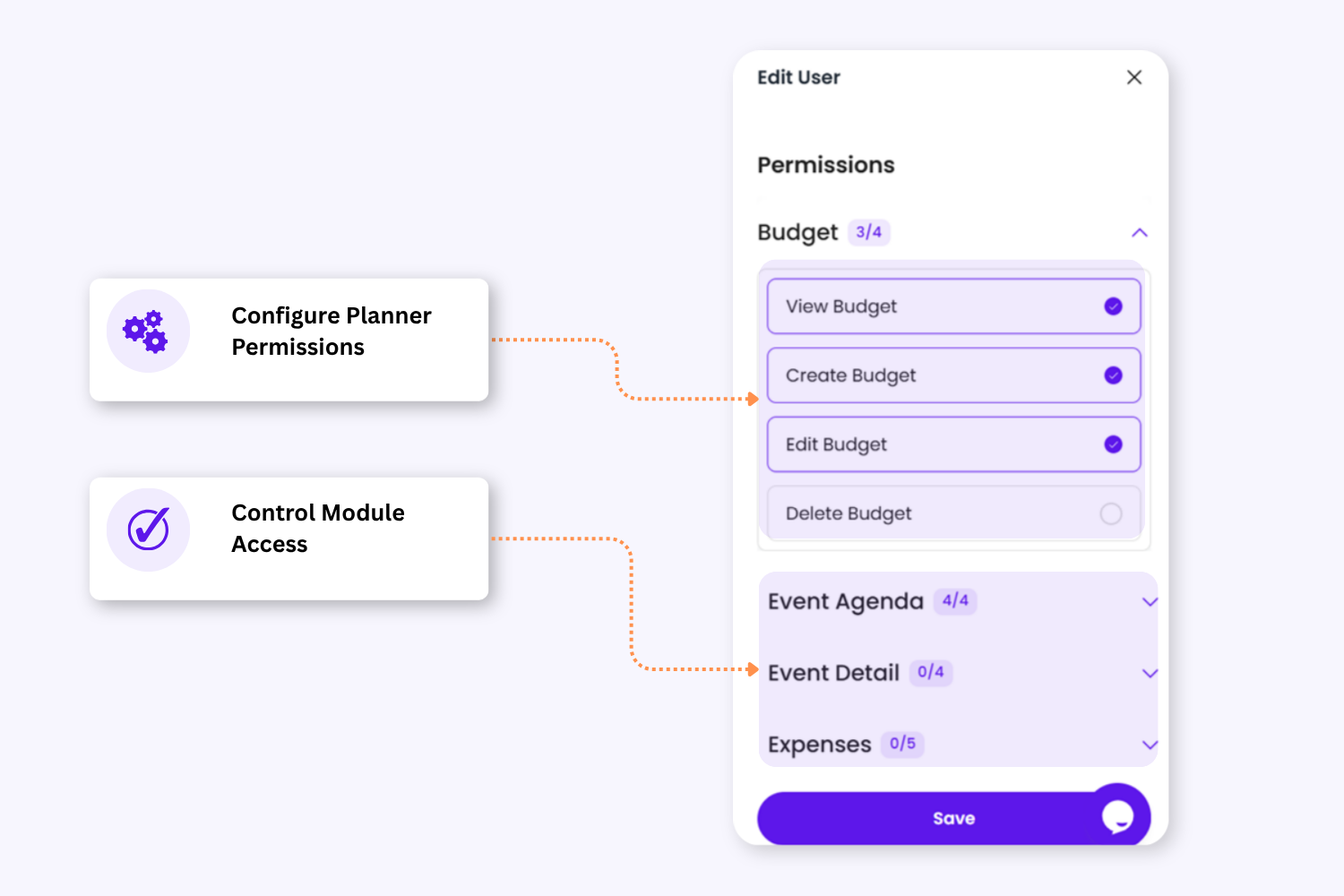
Choose whether planners receive full access or limited permissions. Hosts can control which planning modules collaborators can access and define what actions they can perform inside each module.
Manage Event Collaboration With More Control
Invite Collaborators To Individual Events
Assign planner access per event instead of giving account-wide access.
Assign Structured Planner Roles
Separate event ownership, co-host management, and supporting collaborators.
Configure Detailed Permissions
Control which modules collaborators can access and what actions they can perform.
Keep Collaboration Organised & Secure
Only guests connected to the event can be upgraded to planner roles.
Designed For Collaborative Event Planning
Envitely helps organisers collaborate across corporate, community, private, and professional events with flexible planner roles and controlled event access.
✔ Conferences
✔ Networking Events
✔ Workshops & Training
✔ Community Events
✔ Corporate Events
✔ Internal Team Events
Event-Level Planner Roles
Granular Module Permissions
Controlled Team Collaboration
Flexible Access Management
FAQ
Yes. Envitely allows Hosts, Co-Hosts, and Collaborators to work together on the same event depending on the permissions assigned.
The Host is the primary owner of the event and controls planner access and permissions. Each event can also have one Co-Host who helps manage the event alongside the Host.
Yes. Hosts can give full access or limited permissions and control which planning modules collaborators can access.
Yes. Permissions can be configured at module level, including actions such as viewing, creating, editing, or deleting information.
Planner roles are managed at the event level. This allows different people to collaborate across different events independently.
Yes. External collaborators can be added to individual events and assigned planner roles with controlled permissions.
No. Only users already connected to the event guest list can be upgraded to a planner role.
The number of collaborators available depends on your subscription plan.
Yes. Hosts can update roles, permissions, or remove planner access from an event at any time.
Plan on Desktop. Manage on Mobile.
View live schedules, agenda updates, and event information from mobile, tablet, or desktop before and during your event.


Plan Events Together With Organised Team Access
Give co-hosts and collaborators the access they need while keeping control over every part of your event planning workflow.
