Free Guest List Management Template
Organise your event guests, track RSVPs and keep important guest information in one place with our free guest list management template.
Get an editable Excel template and practical PDF guide designed to make managing your event guest list simpler.
Includes the editable Excel template + PDF guide in one ZIP file.
What Is an Event Guest List Template?
An event guest list template is a structured tool for organising guest information and tracking attendance throughout the planning process. It gives you one place to manage guest details, RSVP status, companions and other information relevant to your event.
Keep guest information in one place
Track invitations and RSVP status
Manage guests and companions
Organise guests into groups
Maintain an accurate guest count
What's Included in the Free Guest List Template?
Your free resource includes an editable Excel guest list template and a practical PDF guide to help you organise and manage your event guests.
1 - Editable Excel Guest List Template
Use the spreadsheet to build and maintain your event guest list in one place. The template helps you:
• Record essential guest information
• Track invitations and RSVP status
• Manage guest companions
• Organise guests into groups
• Record attendance information
• Keep guest numbers up to date
• Maintain a clear overview of your guest list
2 - Guest List Management Guide
The accompanying PDF provides practical guidance to help you create and manage an effective event guest list. The guide covers:
• How to structure your guest list
• Adding and maintaining guest information
• Tracking invitations and RSVPs
• Managing companions and groups
• Keeping your guest list accurate as plans develop
Includes the editable Excel template + PDF guide in one ZIP file.
Take a Look Inside the Guest List Template
Preview the tools included in the Excel template and see how they help you organise guests and keep attendance information up to date.
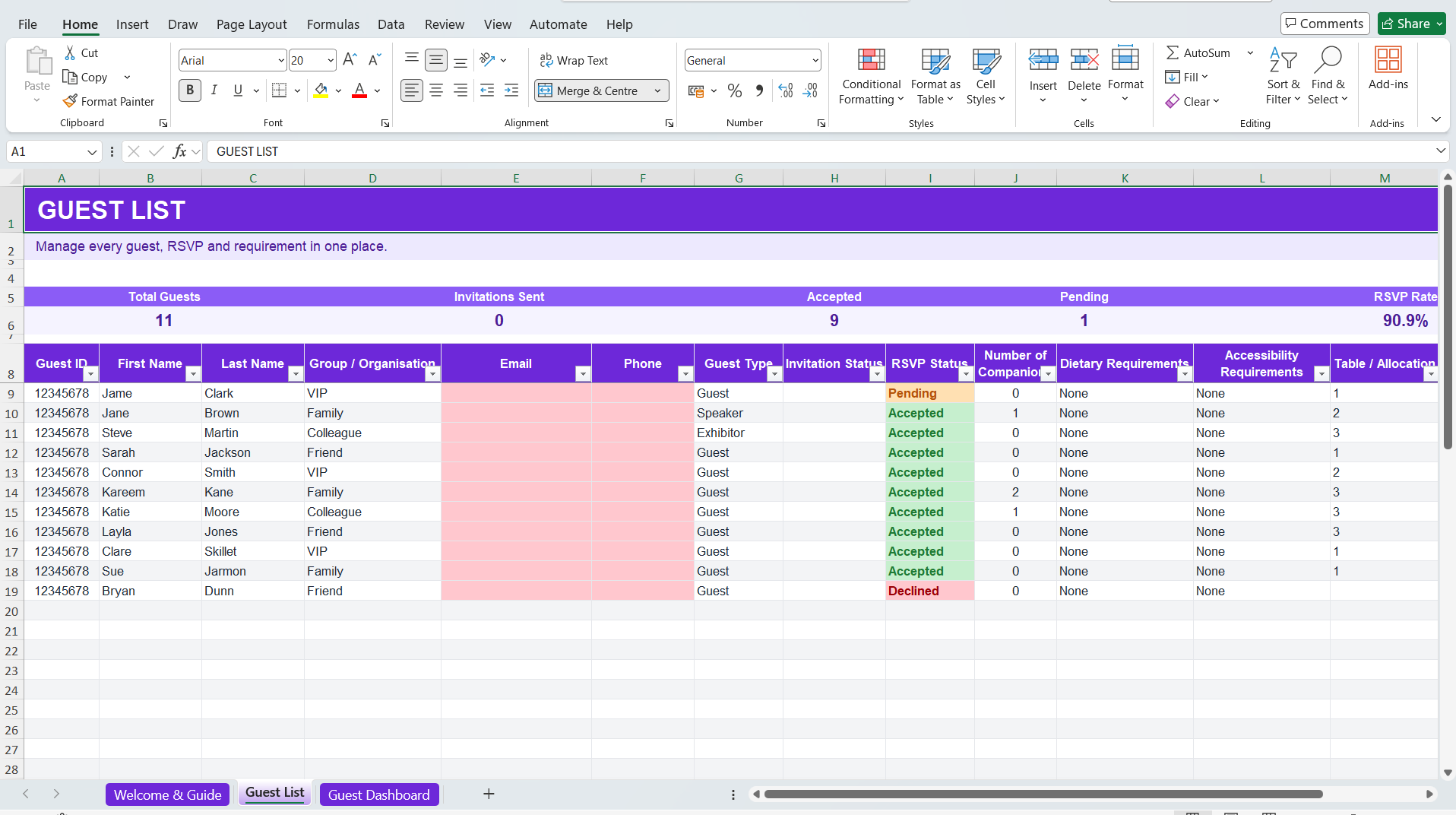
1. Guest List
Organise Your Event Guests
Keep guest details, contact information, RSVP status, companions and other important information together in one structured list.
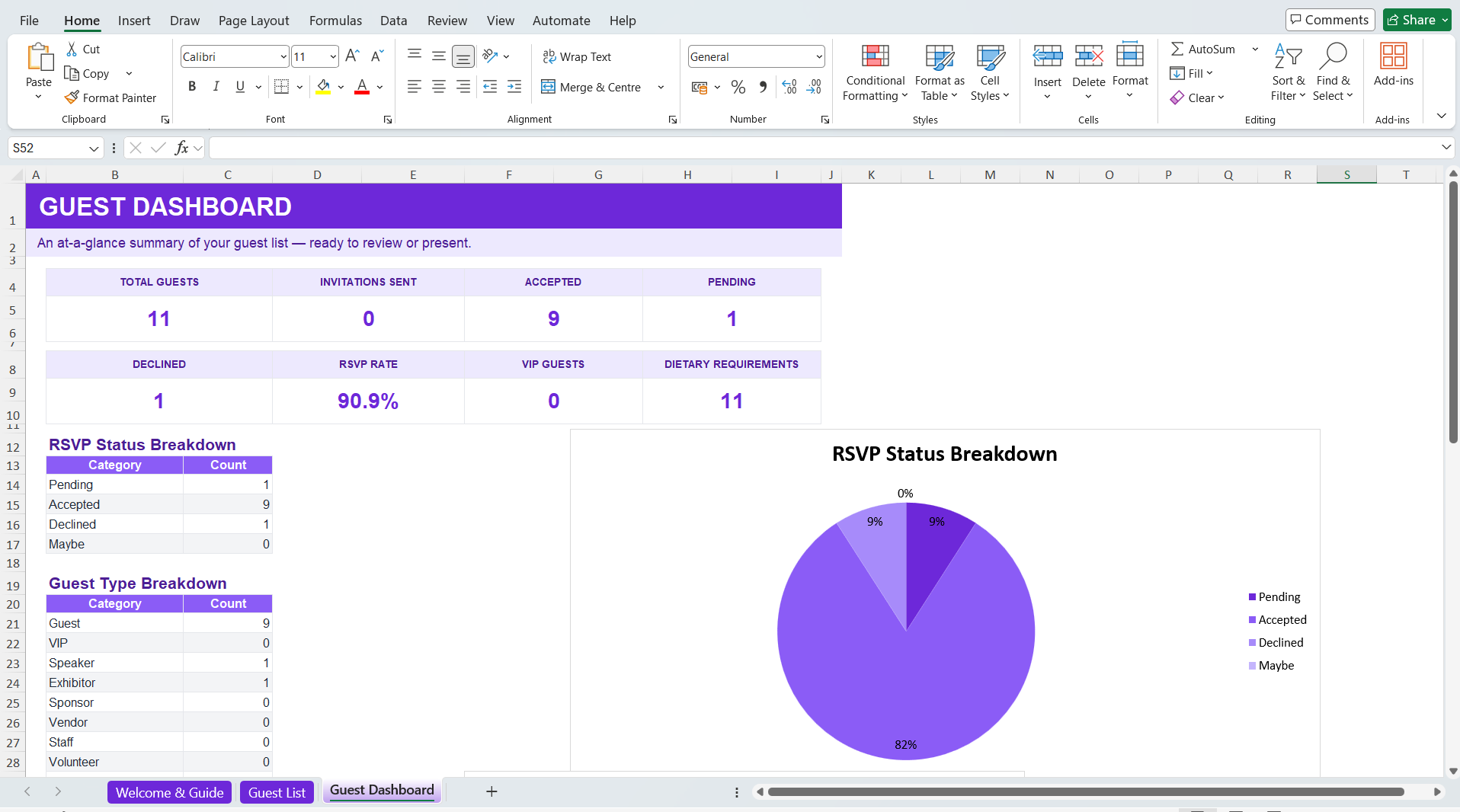
2. Guest List Overview
Review Your Guest List at a Glance
See key guest and attendance information in one place, helping you keep track of responses and understand who’s attending your event.
How to Use the Guest List Template
Get started with your event guest list in three simple steps.
1. Add Your Guests
Enter your guests and the key information you need to manage for your event.
2. Organise & Update
Track invitations and RSVPs, add companions and organise guests into relevant groups as your plans develop.
Track & Review
Keep attendance information up to date and review your guest numbers so you always have a clear view of who’s attending.
What Should an Event Guest List Include?
The information you need will depend on your event, but a well-organised guest list should make it easy to identify guests, track attendance and manage important guest requirements.
Guest Details
Record names and the essential information you need to identify and manage each guest.
Contact Information
Keep relevant email addresses, phone numbers or other contact information available when required.
Invitation Status
Keep track of which guests have been invited and where they are in the invitation process.
RSVP Status
Record whether guests have accepted, declined or have yet to respond.
Notes & Requirements
Record useful information or requirements that may help you plan appropriately for individual guests.
Depending on your event, you may also need to record dietary requirements, accessibility needs, seating arrangements, accommodation or other guest-specific information.
Manage Your Event Guest List with Envitely
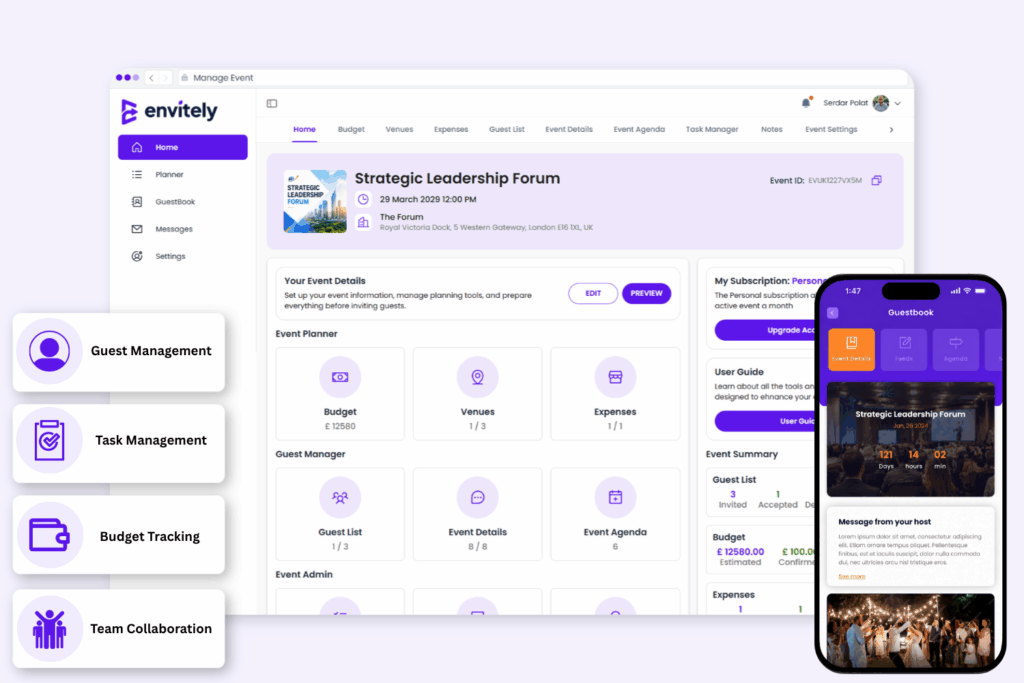
A spreadsheet is a practical way to start organising your event guest list. As your guest list grows, Envitely gives you dedicated tools to manage guests and attendance alongside the rest of your event planning.
Add guests individually or in bulk, organise guests into groups, manage companions and keep RSVP information up to date. You can also send invitations and give confirmed guests access to the Event Hub for important event information and updates.
Manage your guests alongside your tasks, budget, venue and other event planning tools, all from one platform.
More Free Event Planning Resources
Continue planning with our other free templates and resources.
Event Checklist Template
Keep important event planning tasks organised from start to finish.
Event Timeline Template
Organise key milestones, deadlines and activities for your event.
Plan your event costs and keep budgeted and actual spending organised.
Event Run Sheet Template
Plan event-day timings, activities and responsibilities.
Guest Allocation Template
Organise guests into tables, groups, rooms or other allocations.
Collect information and feedback before and after your event.
Event Budget Template FAQs
Yes. The Envitely Guest List Management Template is free to download and does not require you to create an Envitely account.
The download includes an editable Excel guest list template and an accompanying PDF guide, provided together in one ZIP file.
Yes. The Excel template is editable, allowing you to adapt the guest information and fields to suit your event.
The template can be used for weddings, parties, corporate events, conferences, university events, charity events, community events and many other types of events.
Yes. The template is designed to help you keep track of guest attendance and RSVP information as responses are received.
An event guest list will typically include guest names, contact information, invitation and RSVP status, companions and other information needed to manage attendance. Depending on your event, you may also want to record groups, dietary requirements, accessibility needs or other guest-specific details.
Take control of your next event
Use Envitely on your computer or download the app for free and start planning and managing your next event. Try our free demo event on registration to familiarise yourself with our tools before creating your own event.